
Use the same method you used to register for the PRONTEST Series. If you registered with an email address and password, use the input fields. If you registered with Google, Microsoft, or Apple, use the corresponding login button.
If you registered with an email address and password
Have your registered email address and PRONTEST Series password ready.
- Open the PRONTEST Series login page.
- Open 「メールアドレスでログイン」 (Log in with email).
- In 「メールアドレス」 (Email address), enter the email address you registered.
- In 「パスワード」 (Password), enter your PRONTEST Series password.
- Select 「ログイン」 (Log in).
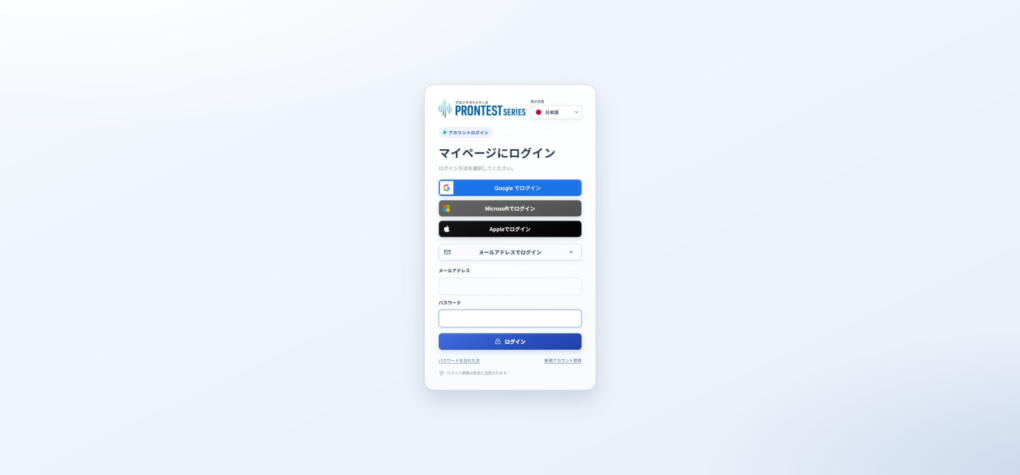
Once My Page appears, you are logged in.
If you registered with an external account
- Open the PRONTEST Series login page.
- Select the method you used to register: 「Googleでログイン」 (Log in with Google), 「Microsoftでログイン」 (Log in with Microsoft), or 「Appleでログイン」 (Log in with Apple).
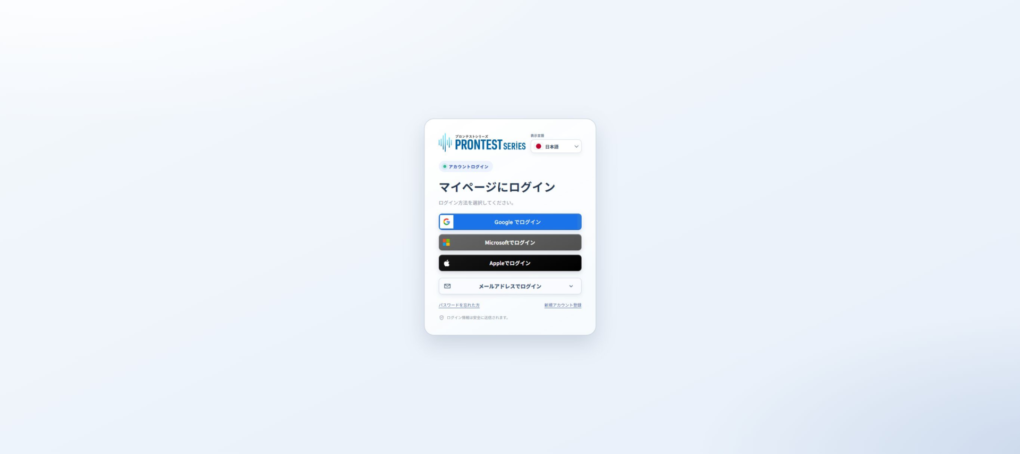
- Select the same external account you used when registering.
- Complete any verification requested on the external service’s screen.
You are done once you return to the PRONTEST Series and My Page appears. If you have multiple external accounts, check which account you selected.
If you cannot log in
If you registered with email and forgot your password, see Reset your PRONTEST Series password.
For other login issues, see If you cannot log in to My Page.
Related pages: My Page login page / Contact PRONTEST