
If you receive the email newsletter, you can unsubscribe by following the unsubscribe instructions in the email message. Have an email ready that was sent to the address you want to unsubscribe.
Unsubscribe from an email
- Open the newsletter you want to unsubscribe from.
- Find the 「配信停止 / Unsubscribe」 (Unsubscribe) link at the end of the message.
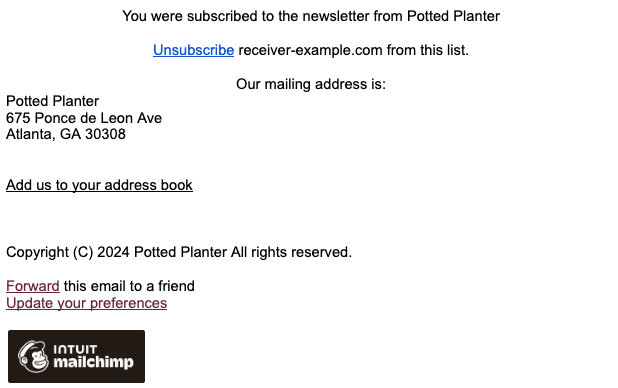
- Open the unsubscribe link.
- Read the unsubscribe instructions on the page that opens.
- Follow the on-screen instructions to confirm that you want to unsubscribe.
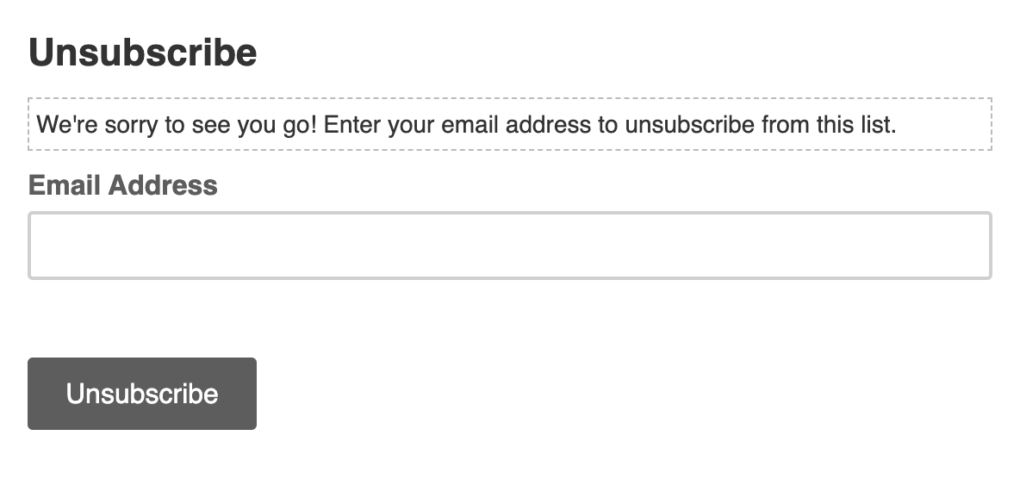
Check that a message confirms you have unsubscribed. If you receive the emails at multiple addresses, check each receiving address.
If you cannot use the unsubscribe instructions
Tell support the email address receiving the emails, the subject line and date received, and that you would like to unsubscribe. If an error appears when you open the link, include that message too.
Unsubscribing and subscription procedures
Unsubscribing from the email newsletter is separate from removing your service account or canceling a paid plan. If you want to stop automatic renewal charges, check your subscription status with the purchase provider.
Related pages: Contact PRONTEST / About unsubscribing from Mailchimp emails