
ご利用ありがとうございます

なにかお困りですか?

Does free registration alone incur charges?

local_offer会員登録について

No. Registering a free account alone does not incur app usage charges. Charges begin under the applicable subscription when you complete a paid program purchase.

If the My Page sidebar is hidden, select the menu icon to display it.

Log in to My Page

Start using an app for free

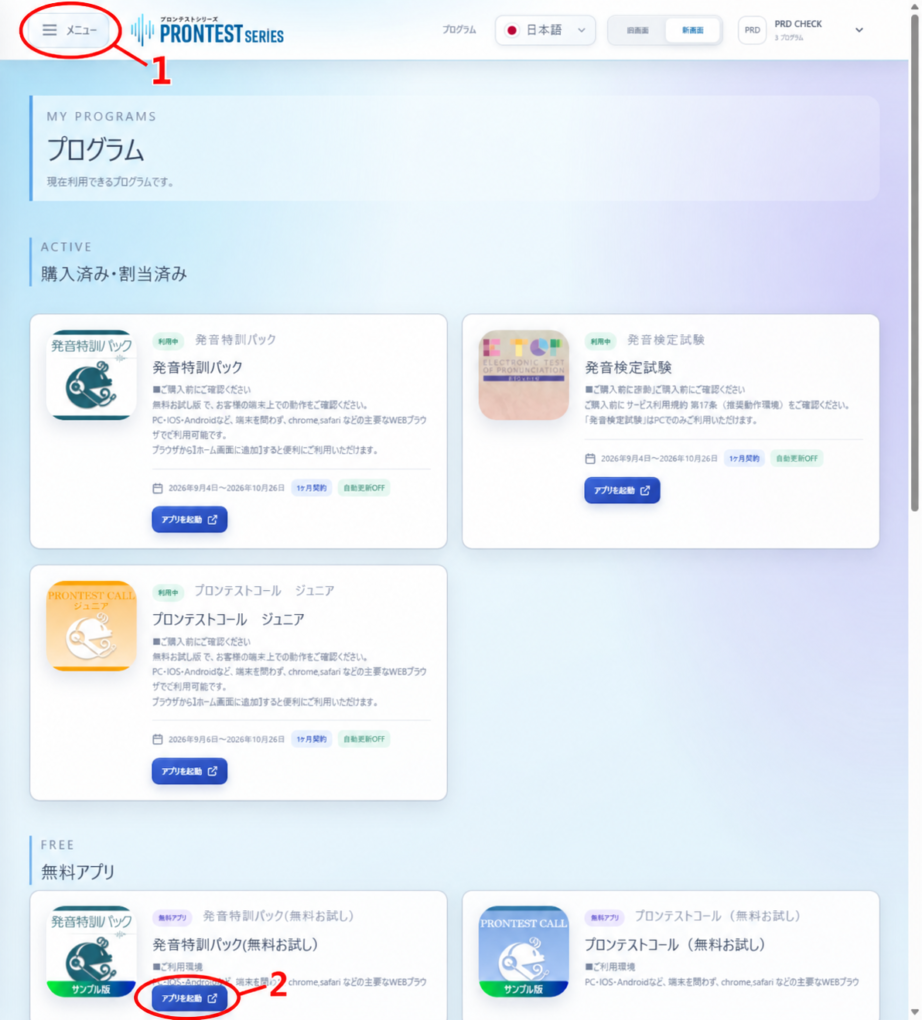
In My Page, go to 「プログラム」 (Programs) → 「無料アプリ」 (Free apps), then select 「アプリを起動」 (Launch app). See each app’s information for what you can try for free.
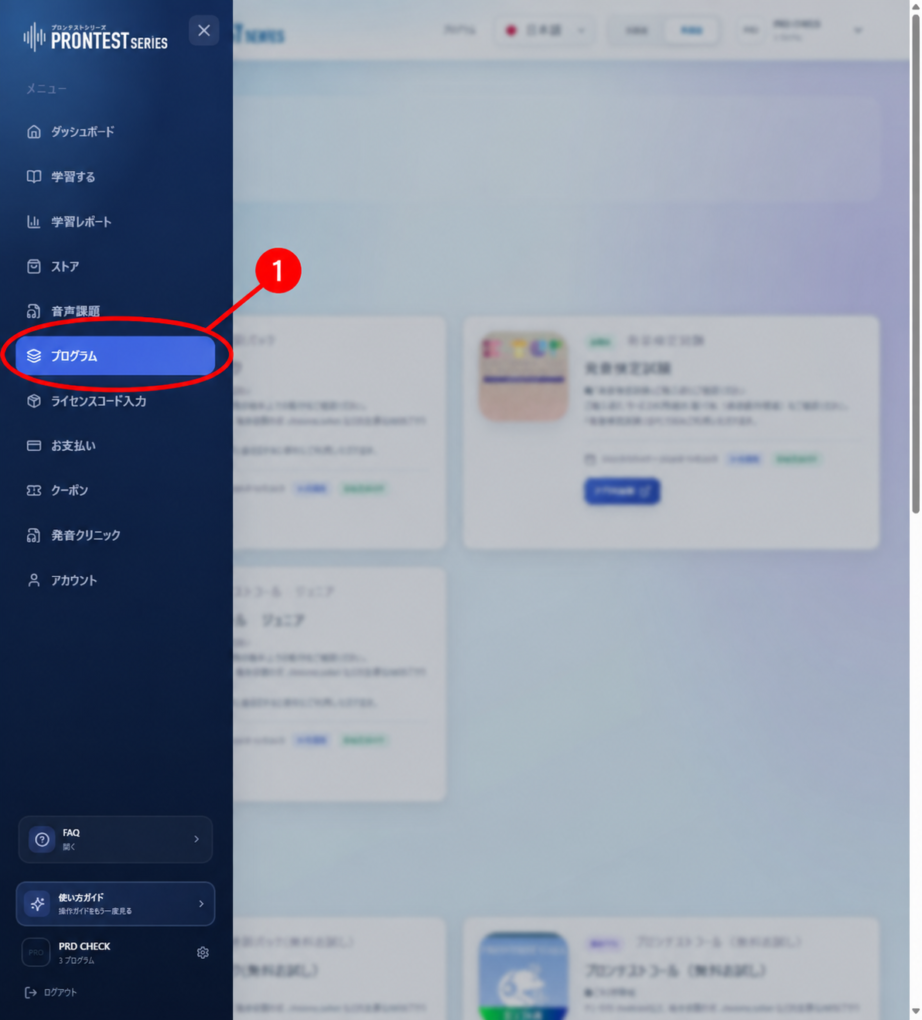
Where to open 「プログラム」 (Programs). Select the item indicated by the red 1 arrow. Screenshot from an existing article, taken on September 16, 2026. The current screen may look different.
Figure 1. Where to open 「プログラム」 (Programs). Select the item indicated by the red 1 arrow. Screenshot from an existing article, taken on September 16, 2026. The current screen may look different.
Example 「無料アプリ」 (Free apps) display. The red 2 marks 「アプリを起動」 (Launch app). Select it on a free app's card. Screenshot from an existing article, taken on September 16, 2026. The current screen may look different.
Figure 2. Example 「無料アプリ」 (Free apps) display. The red 2 marks 「アプリを起動」 (Launch app). Select it on a free app’s card. Screenshot from an existing article, taken on September 16, 2026. The current screen may look different.

What to check when purchasing

Purchase paid programs through 「ストア」 (Store). Check the product name, access period, total amount, and whether automatic renewal applies. Confirm the purchase only if you agree to these details. Simply viewing prices in the Store does not complete a purchase.
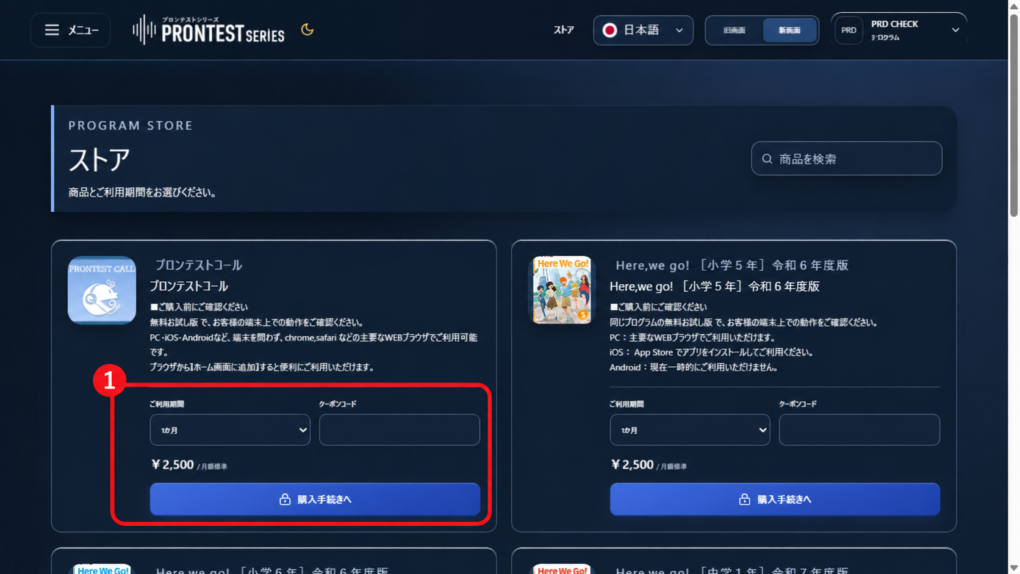
Example product card in the Store. The red box marked 1 contains 「ご利用期間」 (Access period), 「クーポンコード」 (Coupon code), and 「購入手続きへ」 (Proceed with purchase). Check the purchase details before proceeding. Prices in the image do not represent current pricing. Screenshot from an existing article, taken on September 16, 2026. The current screen may look different.
Figure 3. Example product card in the Store. The red box marked 1 contains 「ご利用期間」 (Access period), 「クーポンコード」 (Coupon code), and 「購入手続きへ」 (Proceed with purchase). Check the purchase details before proceeding. Prices in the image do not represent current pricing. Screenshot from an existing article, taken on September 16, 2026. The current screen may look different.

If you already have a purchased subscription, check its billing and automatic renewal under 「お支払い」 (Payments). Free account membership and whether you have a purchased subscription must be checked separately.
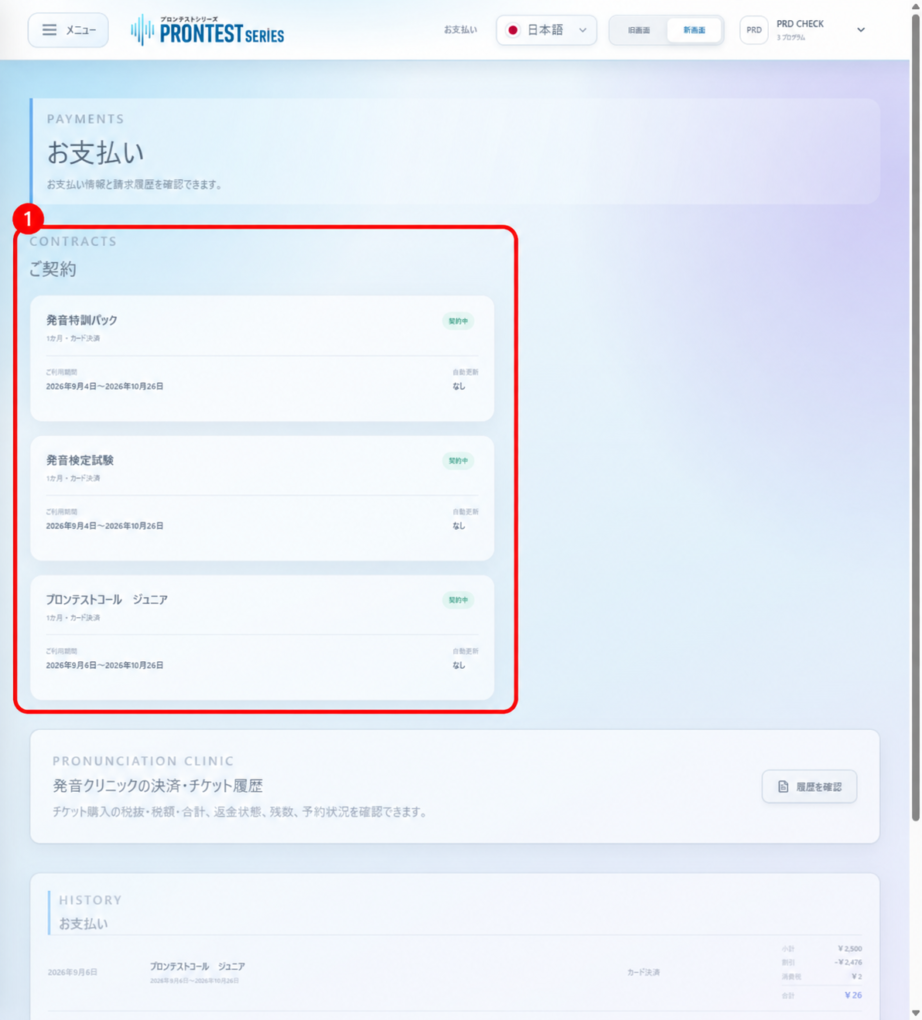
Example 「ご契約」 (Your subscriptions) display. In the red box marked 1, check the program name, payment method, access period, and automatic renewal status. In this example, automatic renewal is 「なし」 (None), so there is no stop button. Screenshot from an existing article, taken on September 16, 2026. The current screen may look different.
Figure 4. Example 「ご契約」 (Your subscriptions) display. In the red box marked 1, check the program name, payment method, access period, and automatic renewal status. In this example, automatic renewal is 「なし」 (None), so there is no stop button. Screenshot from an existing article, taken on September 16, 2026. The current screen may look different.

Related articles

Understand free registration and paid purchases

What can I do with the free trial apps?