
ご利用ありがとうございます

なにかお困りですか?

What can I do with the free trial apps?

local_offerソフト・アプリのご利用について

These apps let you try the learning content and controls before purchasing a paid program. You can try one lesson each in 発音特訓パック (pronunciation training pack) and プロンテスト・コール, with no expiration date. Before considering a purchase, check that you can hear the audio and practice pronunciation on your own device.

If the My Page sidebar is hidden, select the menu icon to display it.

Log in to My Page

Check which apps you can try

1. Log in to the PRONTEST Series and open 「プログラム」 (Programs) in the sidebar.
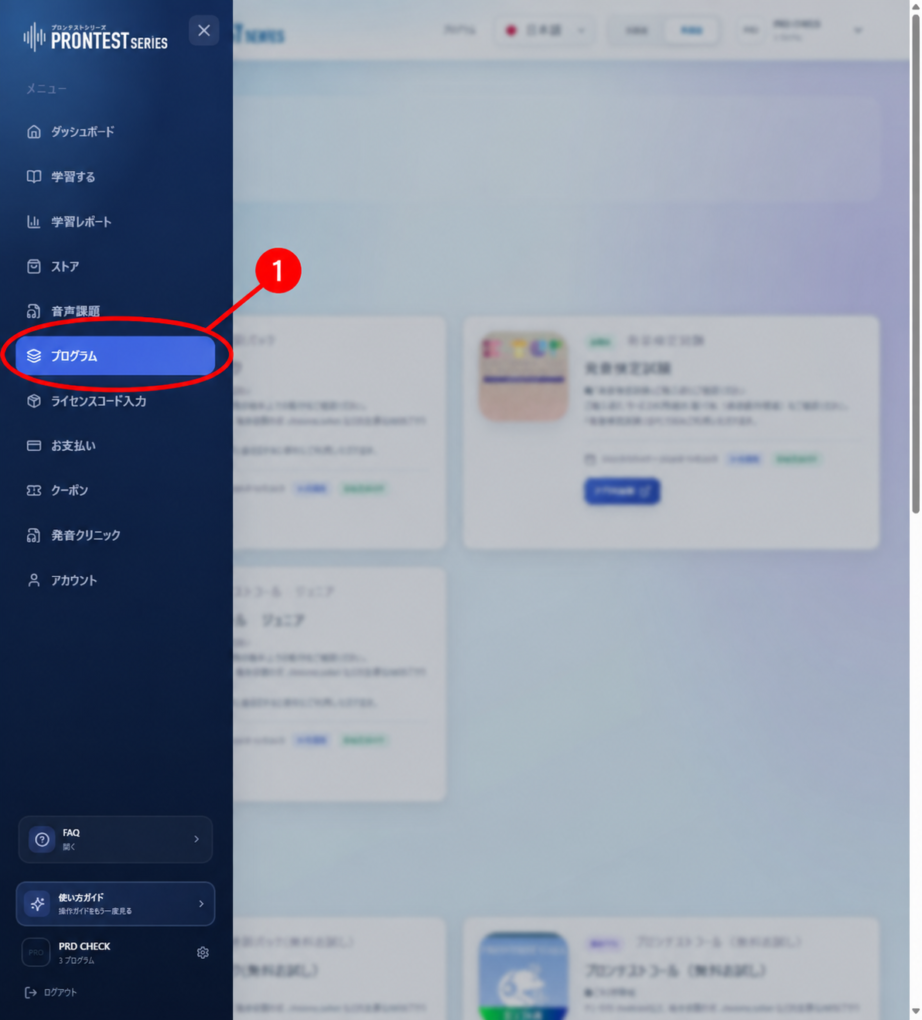
「プログラム」 (Programs) in the sidebar. Open the item marked with the red 1. Screenshot from September 16, 2026.
Figure 1. 「プログラム」 (Programs) in the sidebar. Open the item marked with the red 1. Screenshot from September 16, 2026.

2. Check the apps listed under 「無料アプリ」 (Free apps).

3. Select 「アプリを起動」 (Launch app) for the app you want to try, then select the displayed learning material.
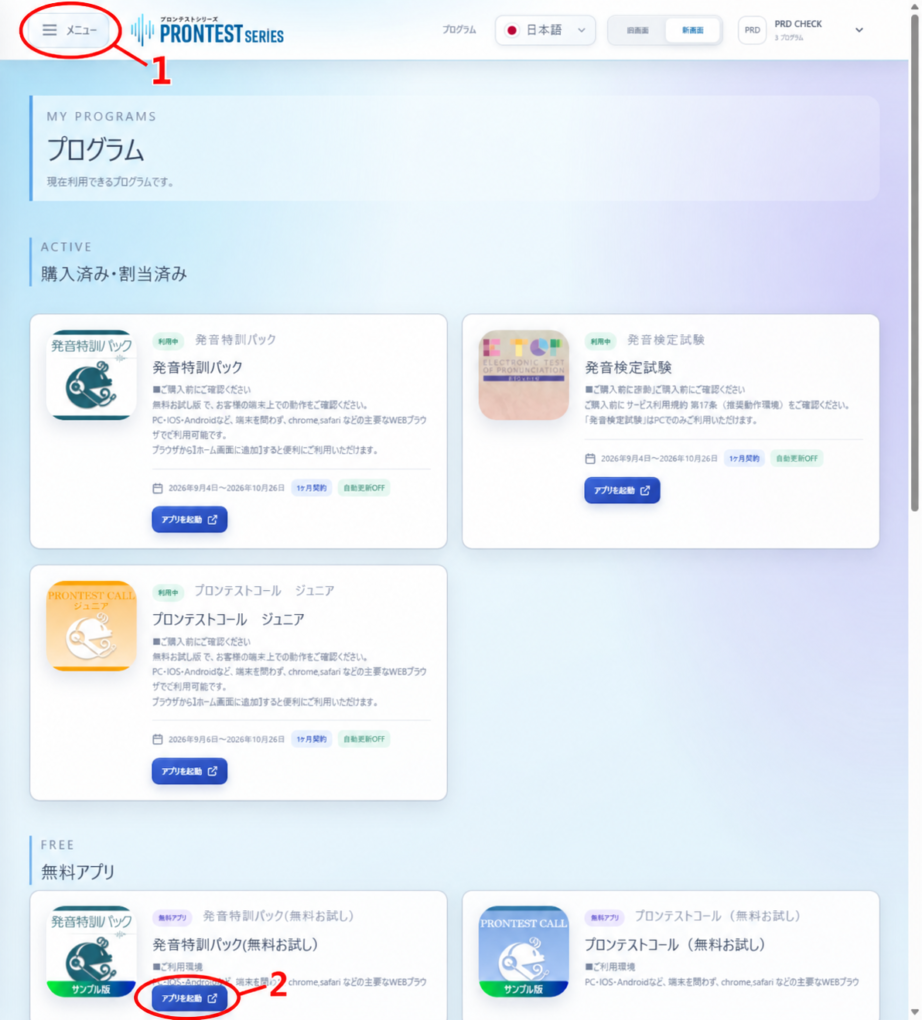
Example 「無料アプリ」 (Free apps) section. The red 2 marks 「アプリを起動」 (Launch app). Screenshot from September 16, 2026.
Figure 2. Example 「無料アプリ」 (Free apps) section. The red 2 marks 「アプリを起動」 (Launch app). Screenshot from September 16, 2026.

Free apps and purchased programs

「無料アプリ」 (Free apps) and 「購入済み・割当済み」 (Purchased/Assigned) appear in separate sections. If you have already purchased a program, launch it from Purchased/Assigned.
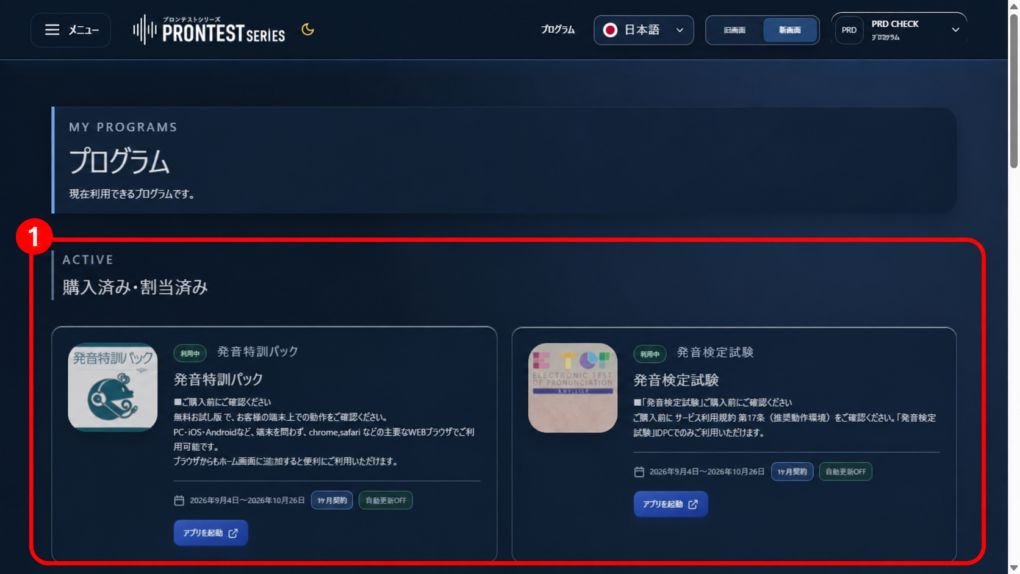
Example 「購入済み・割当済み」 (Purchased/Assigned) section. Check the program's access period, then select 「アプリを起動」 (Launch app) on its card. The 1 marks the Purchased/Assigned section. Screenshot from September 16, 2026.
Figure 3. Example 「購入済み・割当済み」 (Purchased/Assigned) section. Check the program’s access period, then select 「アプリを起動」 (Launch app) on its card. The 1 marks the Purchased/Assigned section. Screenshot from September 16, 2026.

If you want access beyond the free trial content, check the program and access period in 「ストア」 (Store). If your school or workplace has provided license instructions, follow those instructions to register and use it.
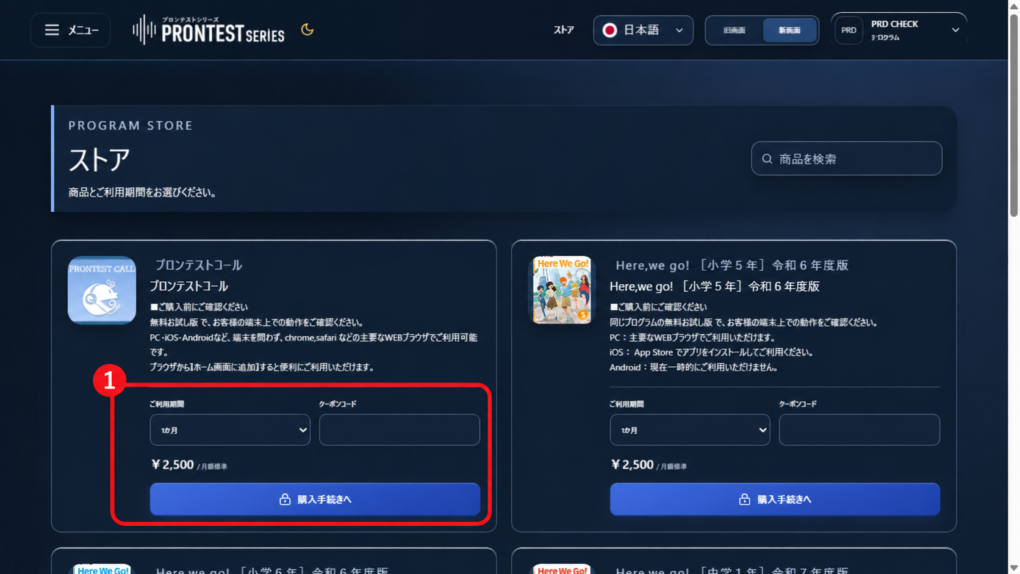
Where to check the program and access period in the Store. The red numbers are annotations within the screen. Amounts shown are examples from the time the screenshot was taken. Screenshot from September 16, 2026.
Figure 4. Where to check the program and access period in the Store. The red numbers are annotations within the screen. Amounts shown are examples from the time the screenshot was taken. Screenshot from September 16, 2026.

Related articles

Launch a free app

Do the free trial apps have a time limit?