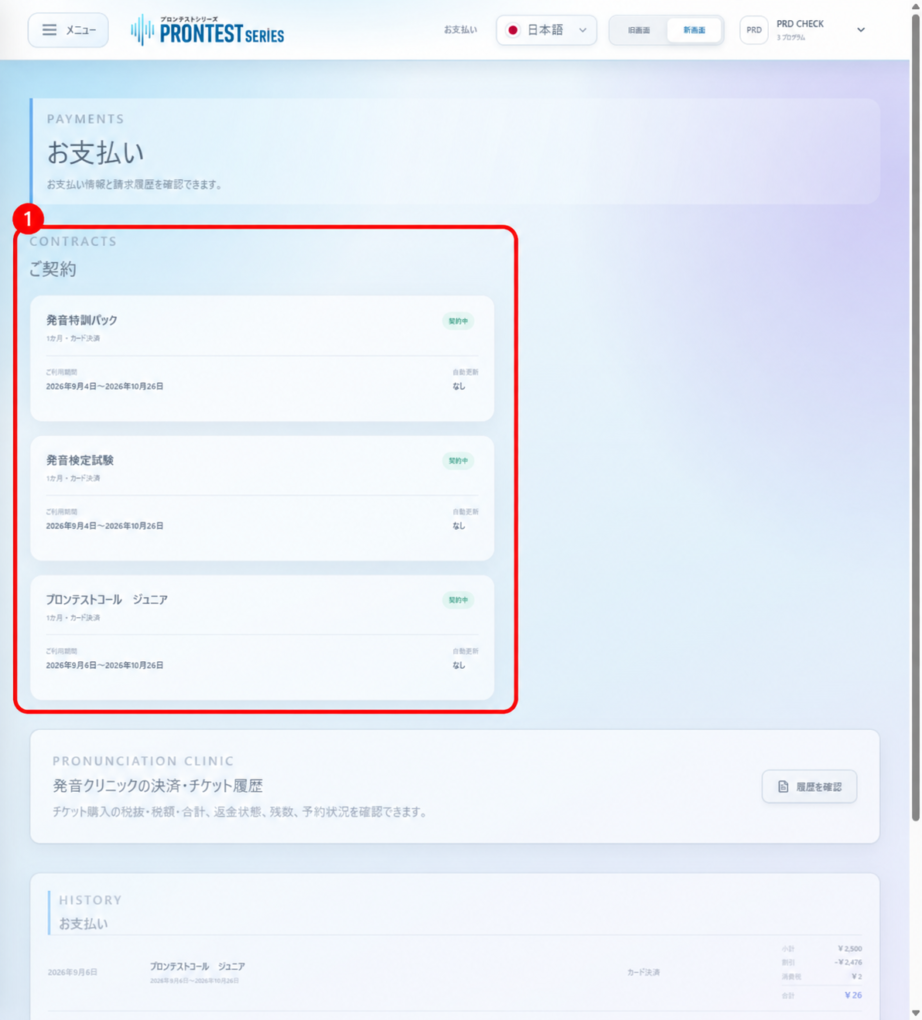
No. Registering a free account alone does not incur app usage charges. Charges begin under the applicable subscription when you complete a paid program purchase.
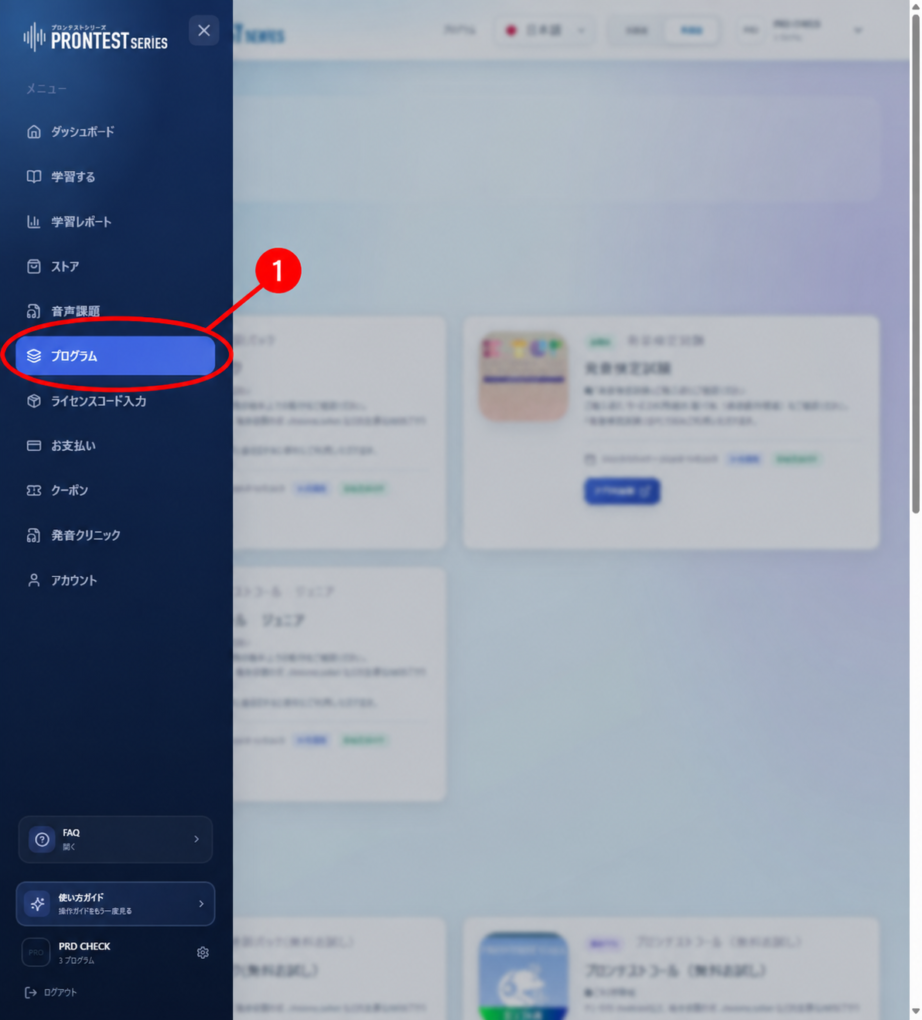
If the My Page sidebar is hidden, select the menu icon to display it.
Start using an app for free
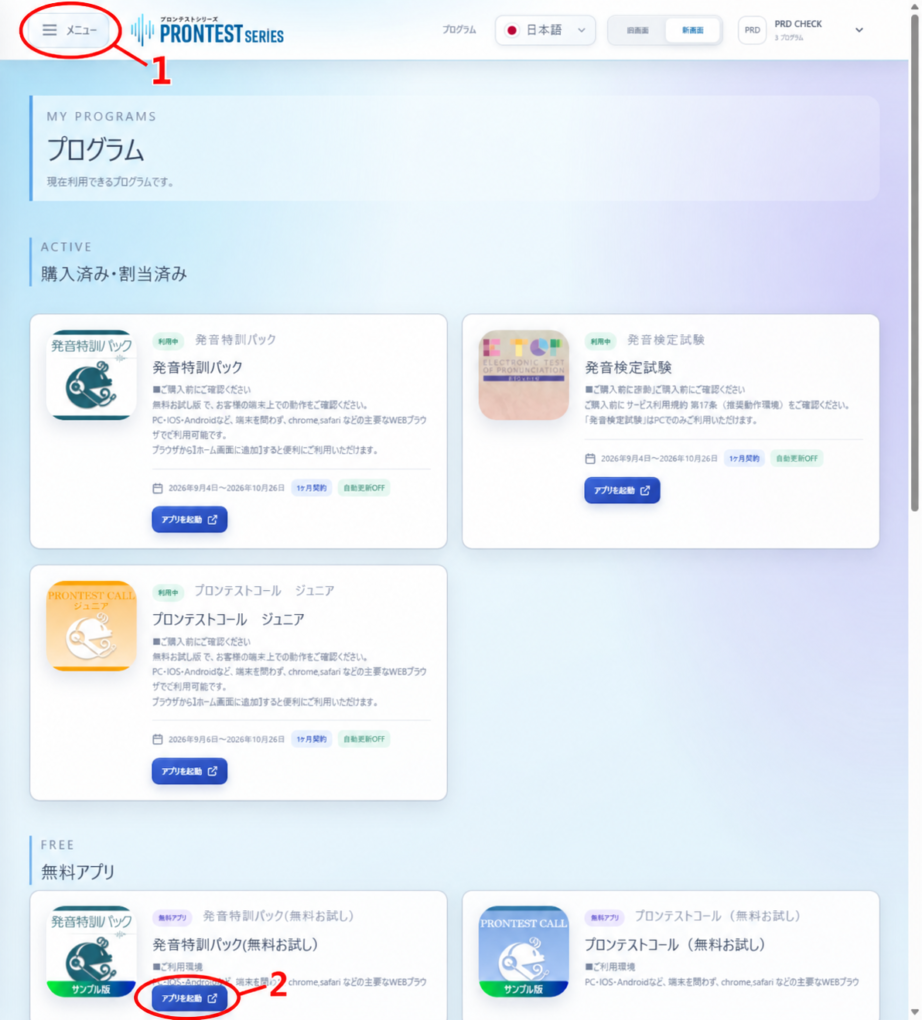
In My Page, go to 「プログラム」 (Programs) → 「無料アプリ」 (Free apps), then select 「アプリを起動」 (Launch app). See each app’s information for what you can try for free.
What to check when purchasing
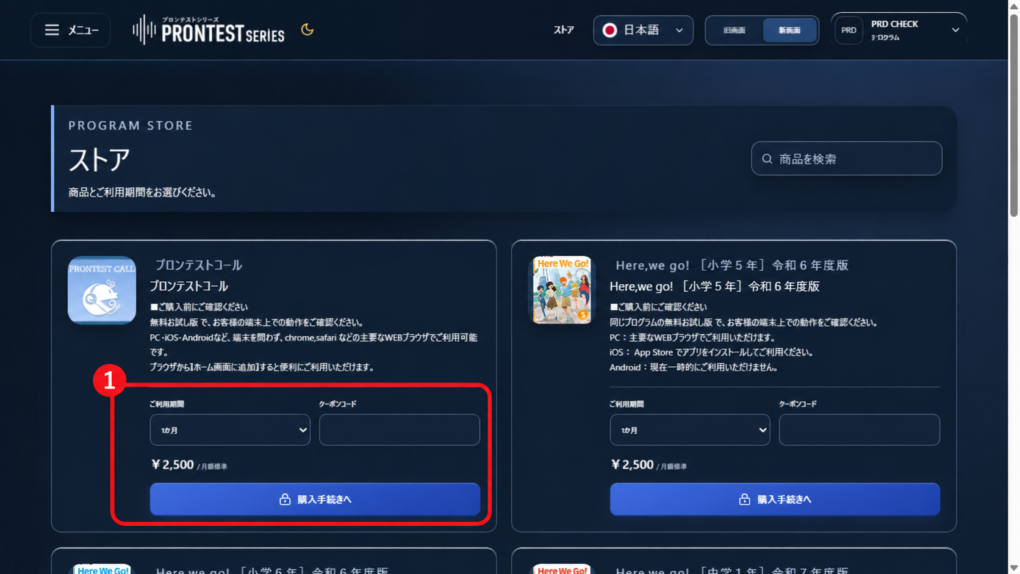
Purchase paid programs through 「ストア」 (Store). Check the product name, access period, total amount, and whether automatic renewal applies. Confirm the purchase only if you agree to these details. Simply viewing prices in the Store does not complete a purchase.
If you already have a purchased subscription, check its billing and automatic renewal under 「お支払い」 (Payments). Free account membership and whether you have a purchased subscription must be checked separately.