
You can check your registered information under 「アカウント」 (Account) in My Page. Log in to the account you want to check.
Check your registered information
- Log in to PRONTEST Series.
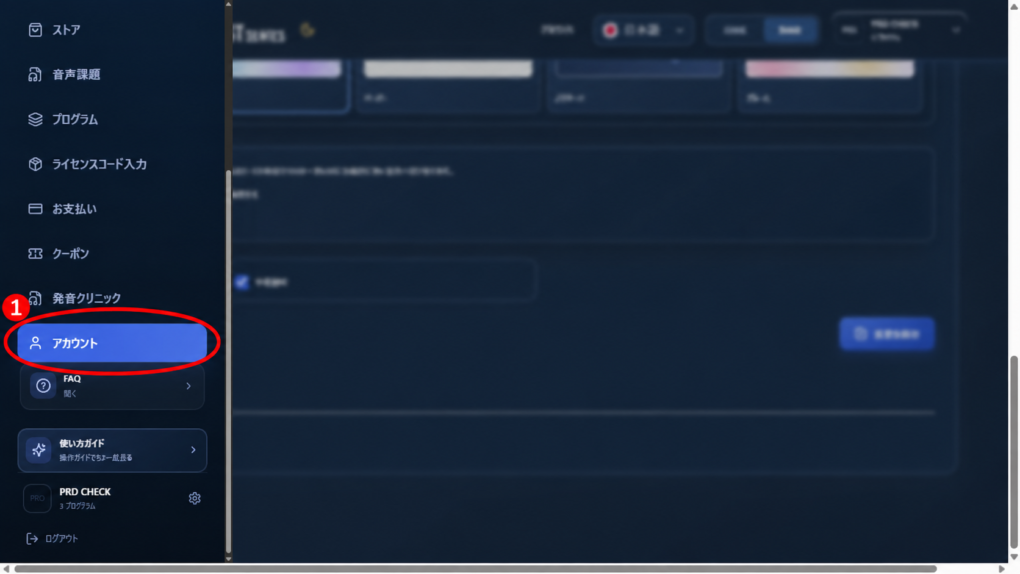
- If the sidebar is not displayed, press the menu icon.
- Select 「アカウント」 (Account) in the sidebar.
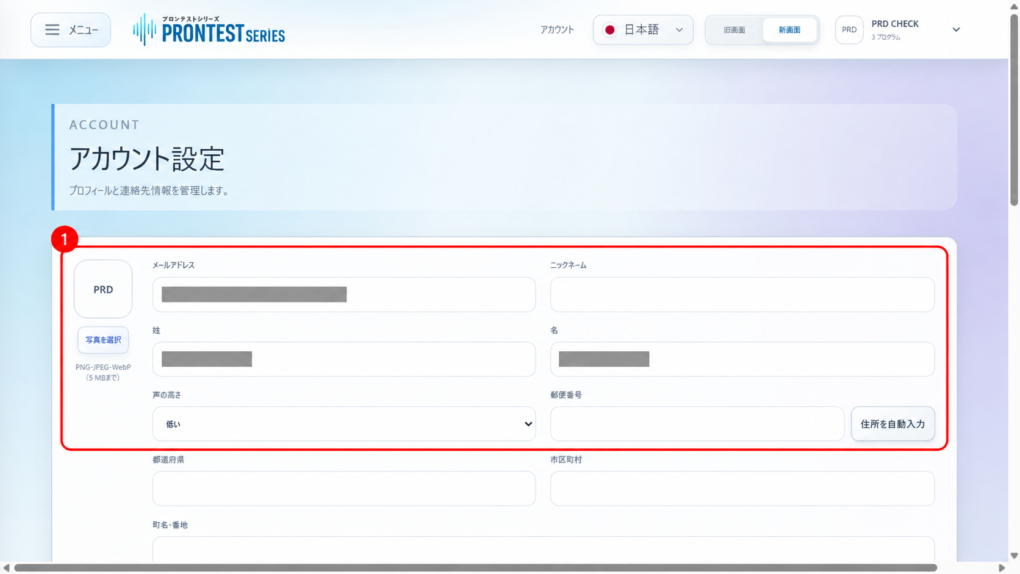
- Read the fields you want to check, such as 「メールアドレス」 (Email address), name, or address.
You are done once you have checked the registered information you need. If you only want to view it, there is no need to change any fields or press 「変更を保存」 (Save changes).
If an unfamiliar email address is displayed
If you registered using Apple’s 「メールを非公開」 (Hide My Email), a forwarding address ending in “@privaterelay.appleid.com” may be displayed. You can also check the shared address under 「Appleでサインイン」 (Sign in with Apple) in your Apple Account.
If it is not an Apple forwarding address, check whether you are logged in to a different account.
If you want to change the information
For steps to change your registered information, see Changing registered information such as your email address and name.
If your registered information cannot be displayed
Check the login method you used when registering. If you do not know your registered email address, contact support before creating a new account.
If 「登録情報を読み込めませんでした。」 (Could not load registered information) appears, tell support what is displayed.
Related pages: My Page login page / Apple’s official guide to Hide My Email / Contact PRONTEST
Related articles
Changing registered information such as your email address and name