
To register with an email address, receive the confirmation email first, then set your password and profile. Have an email address ready that you can check regularly.
Receive the confirmation email
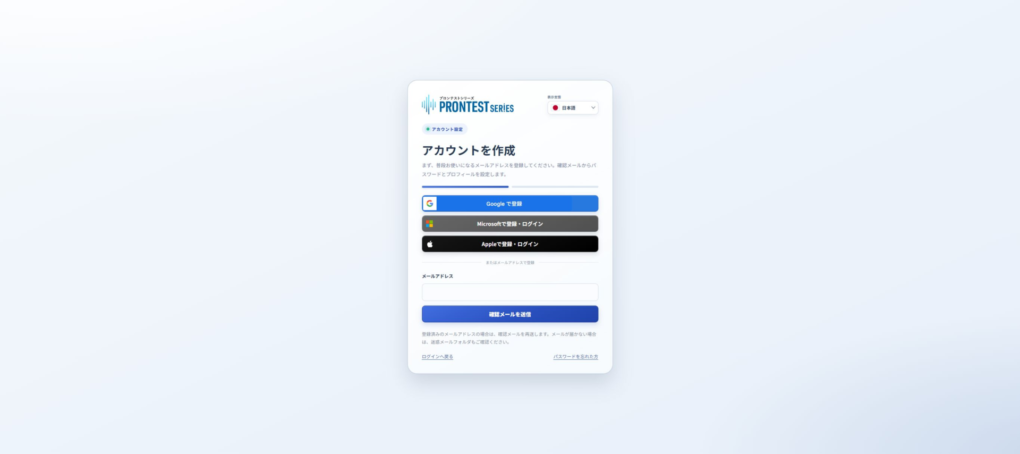
- Open the PRONTEST Series registration page.
- Enter the email address you want to register in 「メールアドレス」 (Email address).
- Press 「確認メールを送信」 (Send confirmation email).
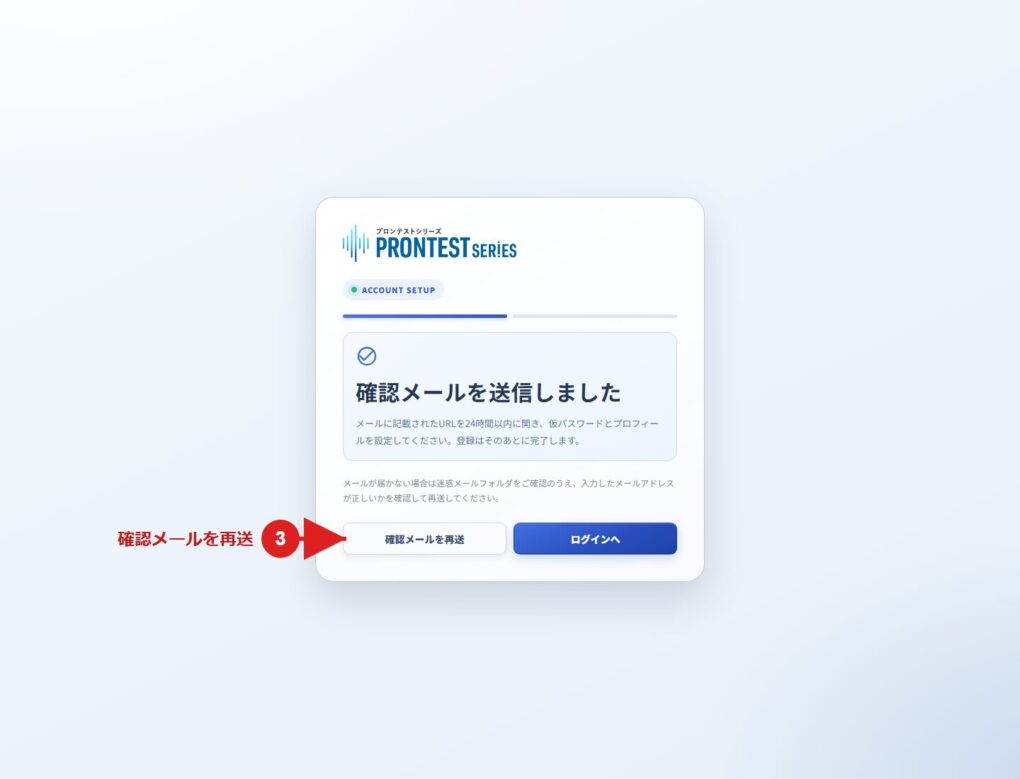
- Open the confirmation email in the inbox for the email address you entered.
- Open the registration link in the email message.
Set your password
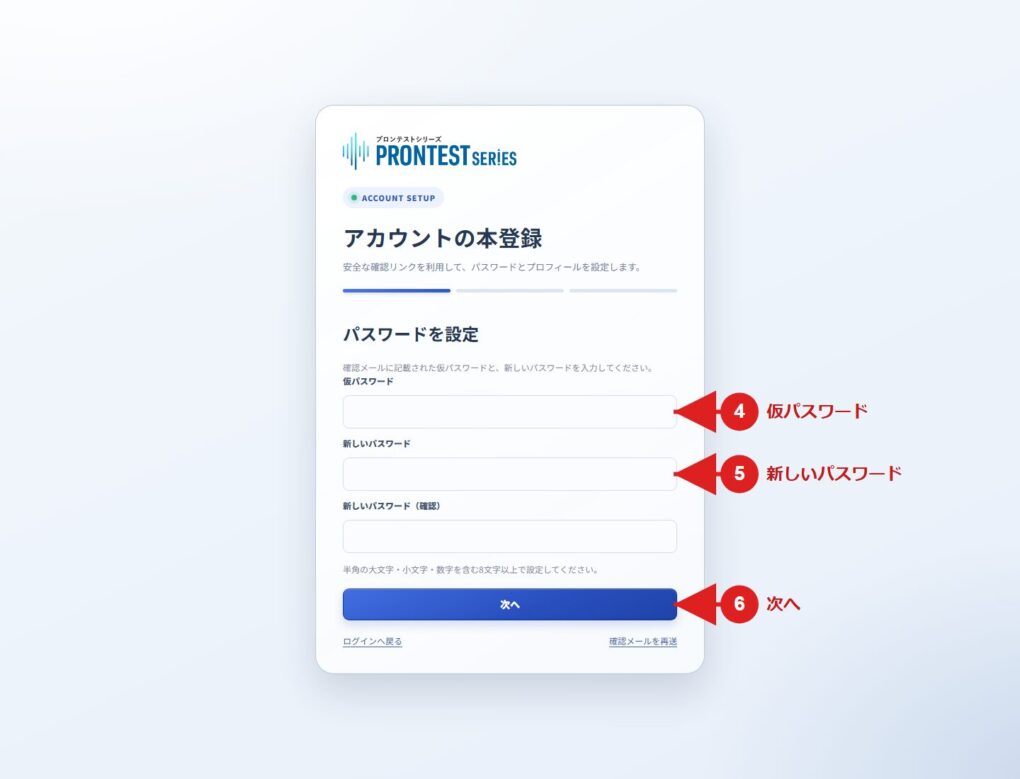
- Enter the temporary password provided in the email in 「仮パスワード」 (Temporary password).
- Enter the password you want to use in 「新しいパスワード」 (New password).
- Enter the same password in 「新しいパスワード(確認)」 (New password, confirmation).
- Press 「次へ」 (Next).
Your password must be 8–256 characters long and contain at least one half-width uppercase English letter, one half-width lowercase English letter, and one half-width digit. Half-width symbols are also allowed. Spaces and full-width characters are not allowed.
Register your profile
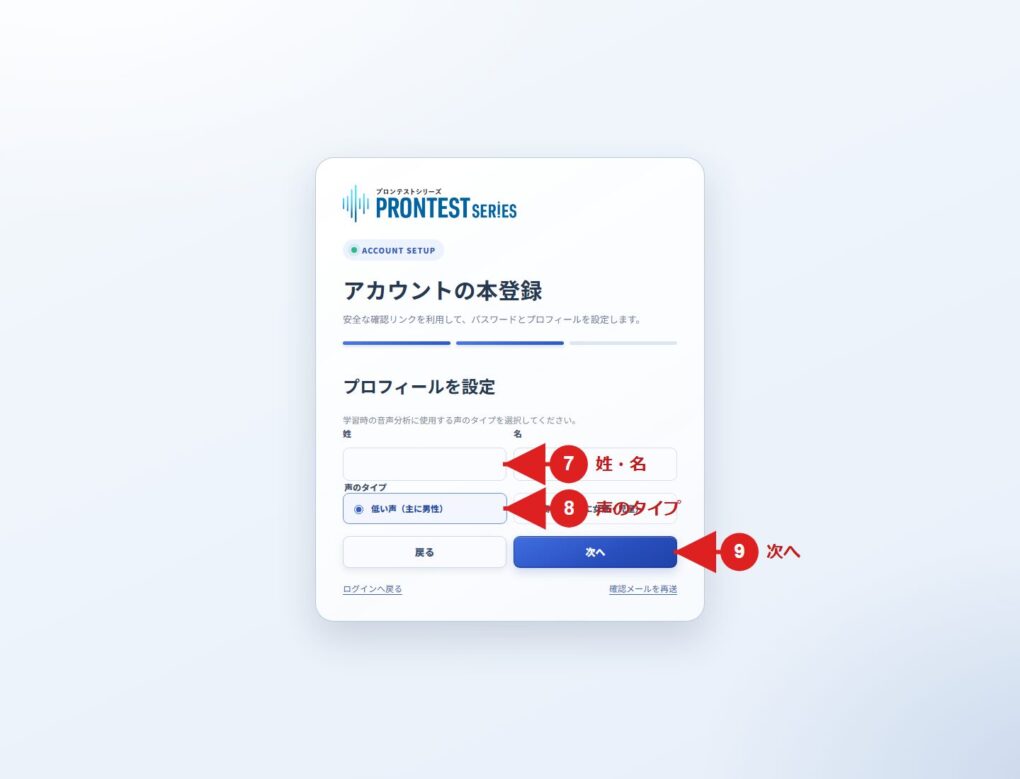
- Fill in 「姓」 (Family name) and 「名」 (Given name).
- Select your voice type from 「低い声(主に男性)」 (Low voice, mainly men) or 「高い声(主に女性・児童)」 (High voice, mainly women and children).
- Press 「次へ」 (Next).
- Check the registration details displayed.
- Review the Privacy Policy and Terms of Use, and agree to them.
- Press 「登録を完了」 (Complete registration).
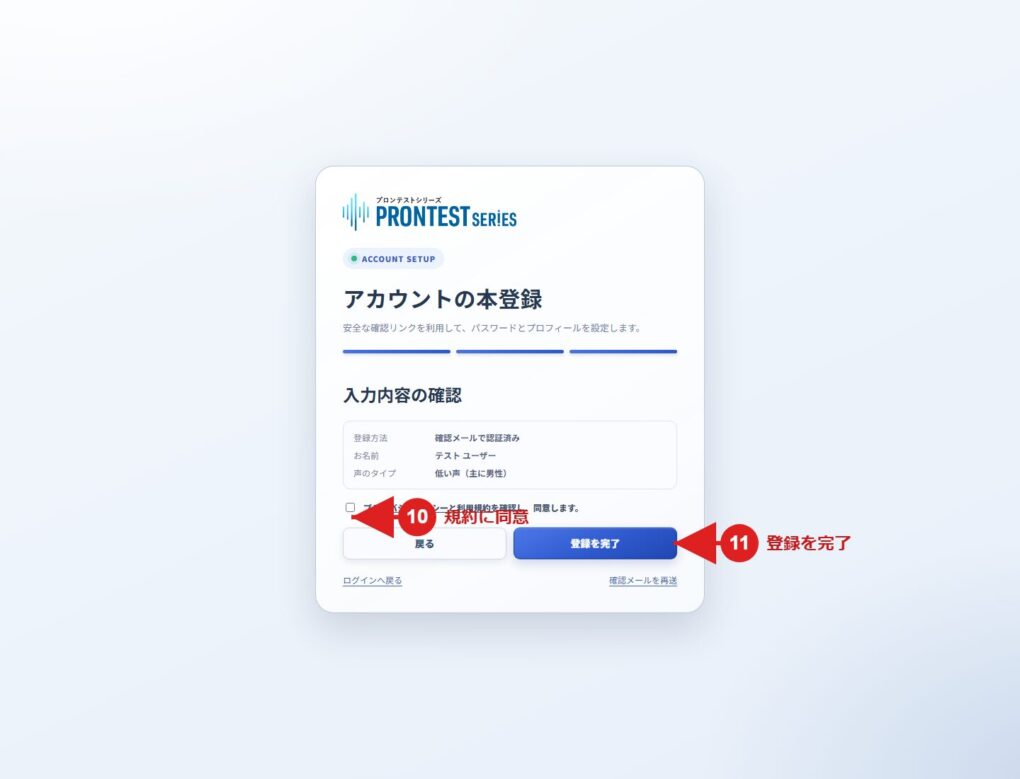
Registration is complete when My Page appears after registration. From your next login, use your registered email address and the password you set.
If you cannot proceed
If the confirmation email does not arrive, check the address you entered and your spam folder. If you have not completed registration, you can resend the confirmation email from the registration page.
If you have already completed registration, use the login page. If you do not know your password, select 「パスワードを忘れた方」 (Forgot your password).
To register using Google, Microsoft, or Apple, use the corresponding button on the registration page.
Related pages: Registration page / My Page login page