
These coupons are distributed through promotions and similar offers, and provide free access or a discount when purchasing. Check each coupon’s benefit, eligible access period, and expiration date.
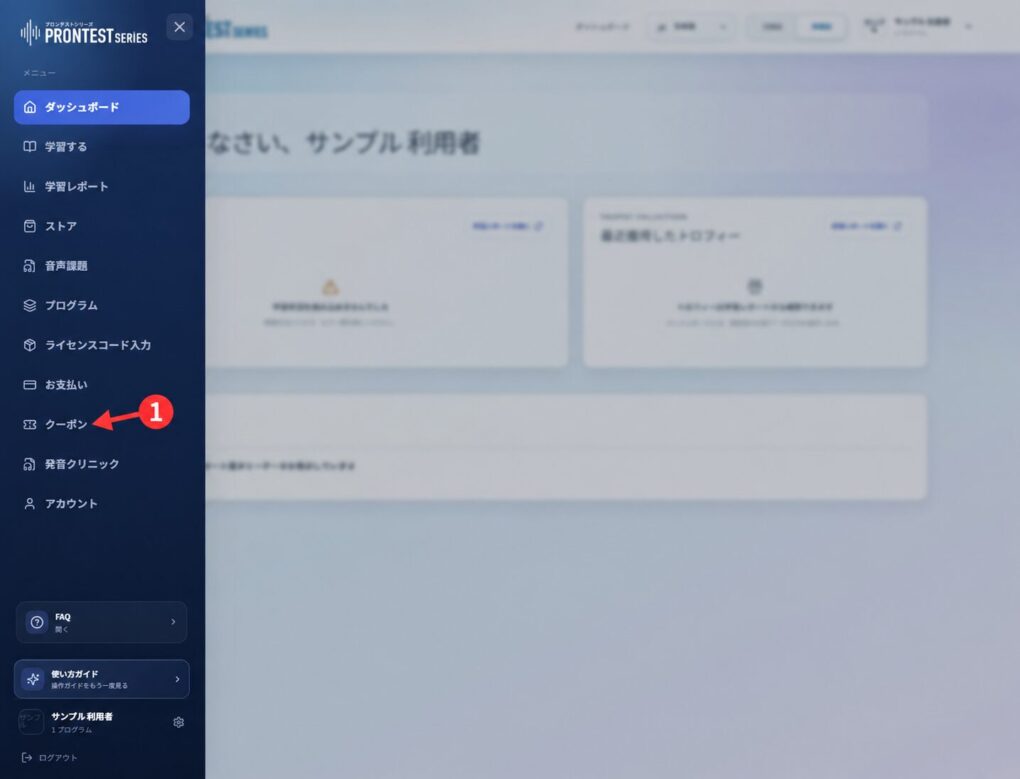
If the My Page sidebar is hidden, select the menu icon to display it.
If you received a coupon claim password
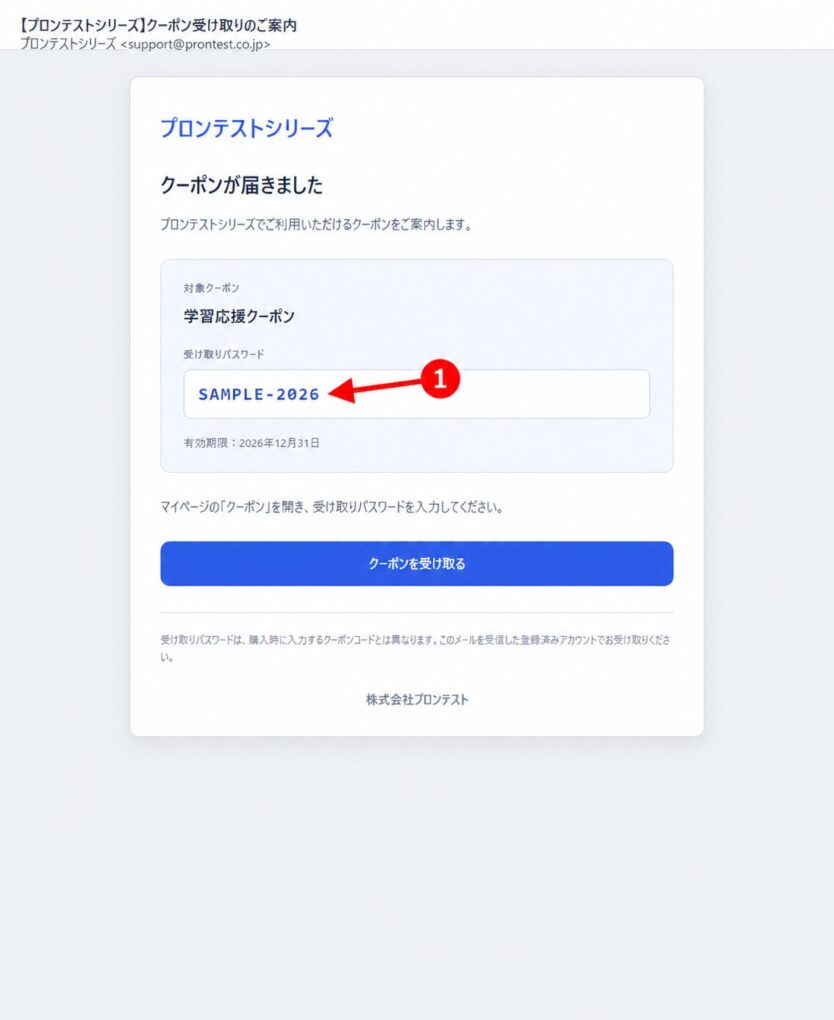
1. Check the 「クーポン受け取りパスワード」 (Coupon claim password) in the notification email.
2. Log in to My Page with the account that will use the coupon, then open 「クーポン」 (Coupons) in the sidebar.
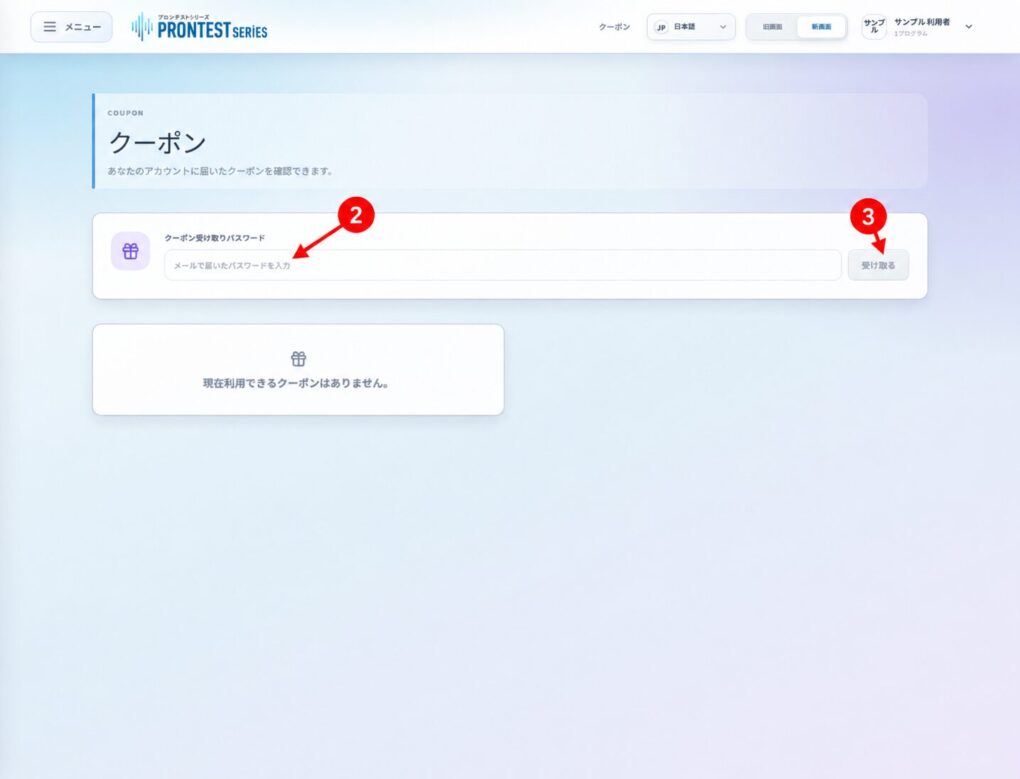
3. Enter the password from the email in 「クーポン受け取りパスワード」 (Coupon claim password), then select 「受け取る」 (Claim).
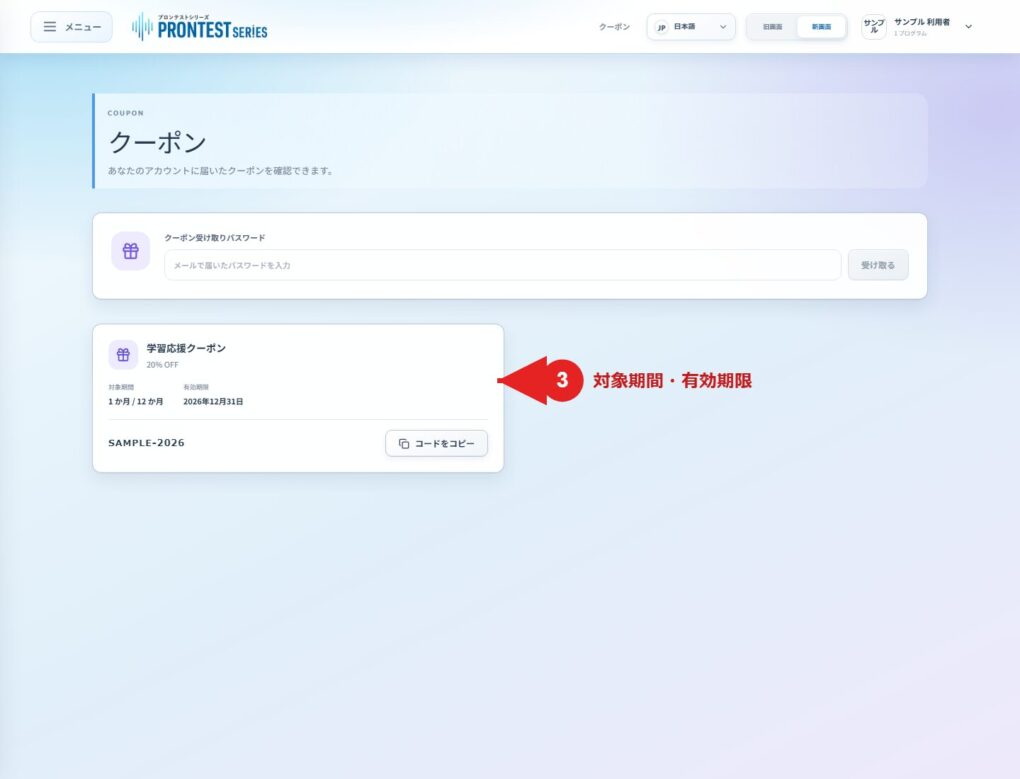
4. Check that 「クーポンを受け取りました。」 (Coupon claimed) appears and the coupon has been added to the list.
Use a coupon when purchasing
1. In the list, check the discount details, 「対象期間」 (Eligible period), and 「有効期限」 (Expiration date). Also check the distribution notice for eligible product conditions.
2. Select 「コードをコピー」 (Copy code). When 「コピーしました」 (Copied) appears, the code is ready to use.
3. In 「ストア」 (Store), select the relevant program and access period, then paste the code into 「クーポンコード」 (Coupon code).
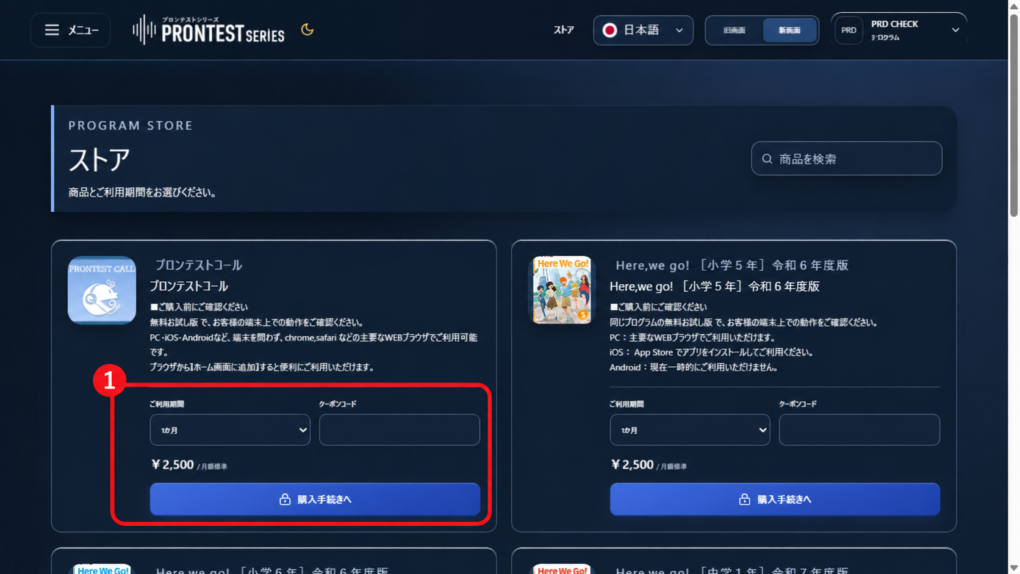
4. Check the purchase details and the amount payable after the coupon is applied. Proceed from 「購入手続きへ」 (Proceed with purchase) only if you intend to buy. Do not enter the claim password in the purchase field.
If you cannot claim or apply a coupon
If 「有効な受け取りパスワードを確認できませんでした。」 (Could not verify a valid claim password) appears, check your entry against the notification email. If a connection error appears, check your connection and try again.
A coupon cannot be used if, for example, the access period selected for the purchase is not eligible. Do not purchase while unsure whether the benefit has been applied. Check the onscreen message and the distribution notice.
What to check before using a coupon
Claiming a coupon alone does not complete an app purchase. Even if the first payment is free or discounted, you still need to check the subscription for automatic renewal and the price after renewal.
My Page coupon codes cannot be used for in-app purchases through the App Store or Google Play.