
ご利用ありがとうございます

なにかお困りですか?

Can I study on multiple devices at the same time?

local_offerソフト・アプリのご利用について

Yes. You can log in to the same account on multiple devices and study at the same time. Log in with the same PRONTEST Series account on each device you use.

If the My Page sidebar is hidden, select the menu icon to display it.

Log in to My Page

Start on another device

1. Check the app’s recommended system requirements for each device.

2. Open My Page on each device and log in using the same method and account you registered with. If you registered with Google, Microsoft, or Apple, select the account you used to register.
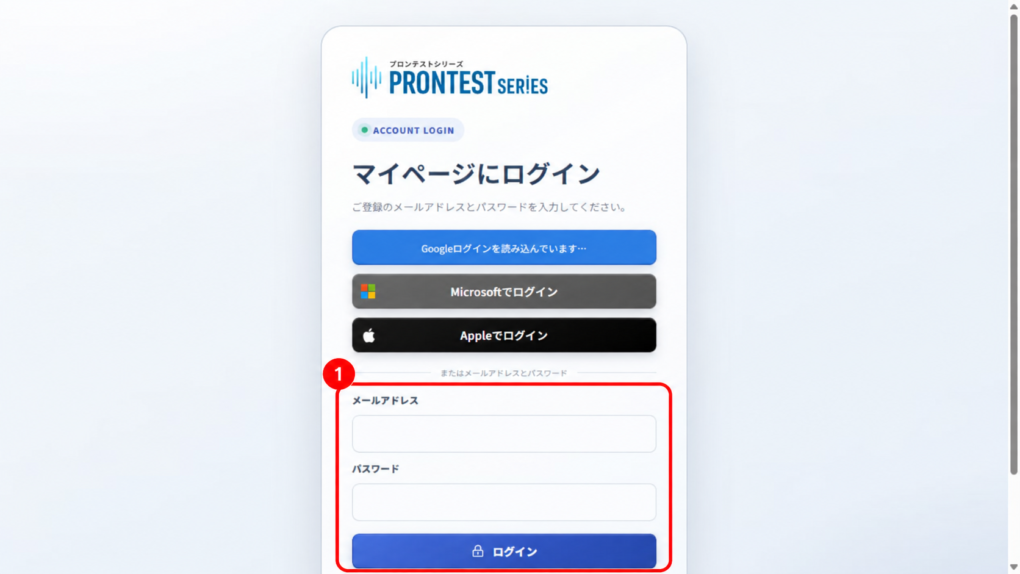
Fields for logging in with an email address and password. Use the same learning account on each device. Screenshot from September 16, 2026.
Figure 1. Fields for logging in with an email address and password. Use the same learning account on each device. Screenshot from September 16, 2026.

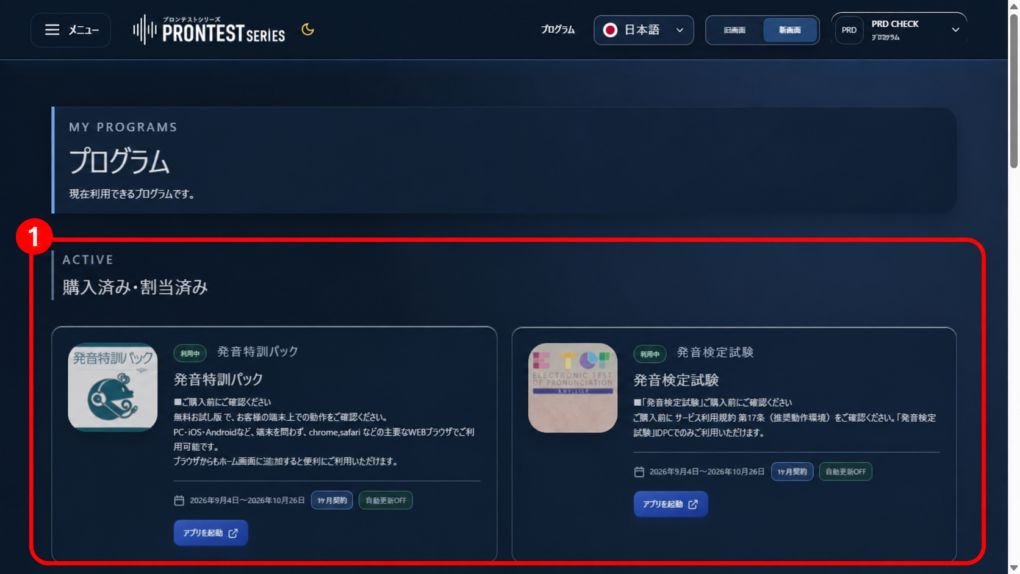
3. In the sidebar, open 「プログラム」 (Programs), then select 「アプリを起動」 (Launch app) for the relevant app.
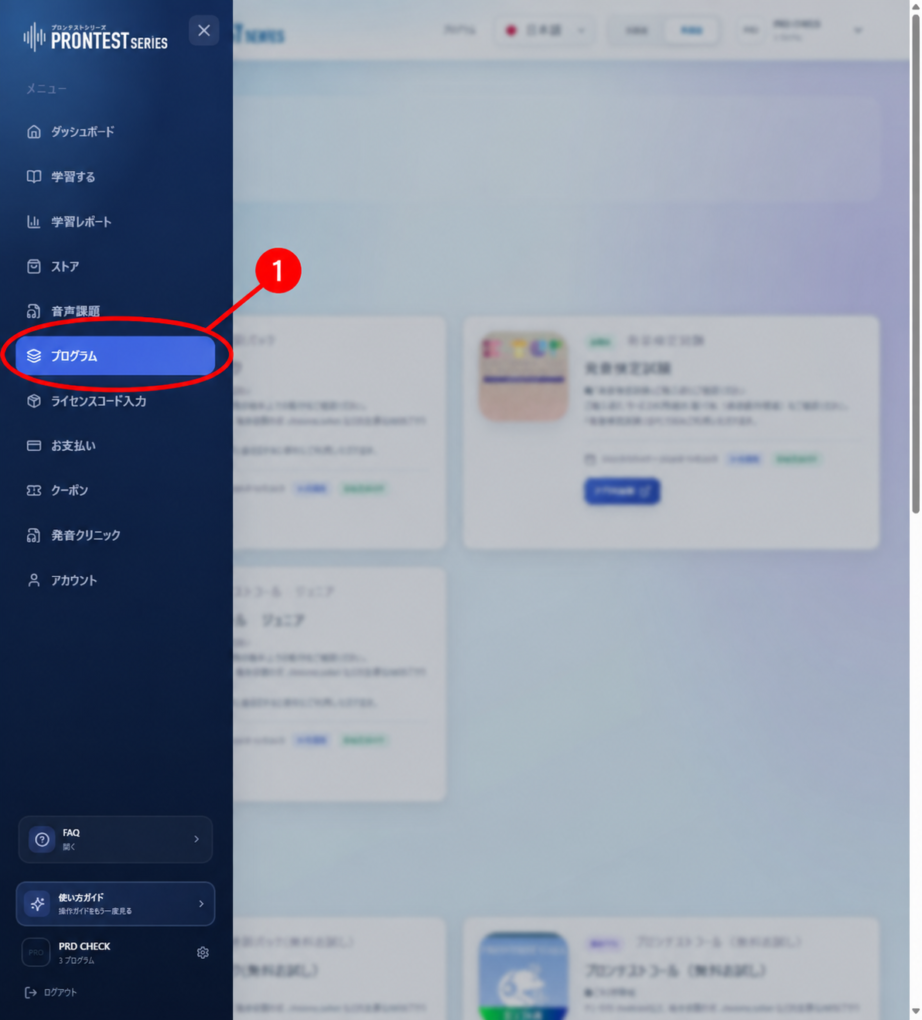
「プログラム」 (Programs) in the sidebar. Open the item marked with the red 1. Screenshot from September 16, 2026.
Figure 2. 「プログラム」 (Programs) in the sidebar. Open the item marked with the red 1. Screenshot from September 16, 2026.
Example 「購入済み・割当済み」 (Purchased/Assigned) section. Check the program's access period, then select 「アプリを起動」 (Launch app) on its card. The 1 marks the Purchased/Assigned section. Screenshot from September 16, 2026.
Figure 3. Example 「購入済み・割当済み」 (Purchased/Assigned) section. Check the program’s access period, then select 「アプリを起動」 (Launch app) on its card. The 1 marks the Purchased/Assigned section. Screenshot from September 16, 2026.

If you cannot find a purchased app

Check that you are logged in to the account used for the purchase or license registration. Also see Only part of a purchased app is available.

Related articles

Log in to My Page

Only part of a purchased app is available