
You can register for PRONTEST Series in your browser using an Apple account. The person registering must complete the steps themselves. After Apple authentication, enter your PRONTEST Series profile and review the terms.
Authenticate with Apple
Apple Account is the account previously called “Apple ID.” You will also use the Apple Account you registered with for future logins.
- Open the PRONTEST Series registration page.
- Press 「Appleで登録・ログイン」 (Register or log in with Apple).
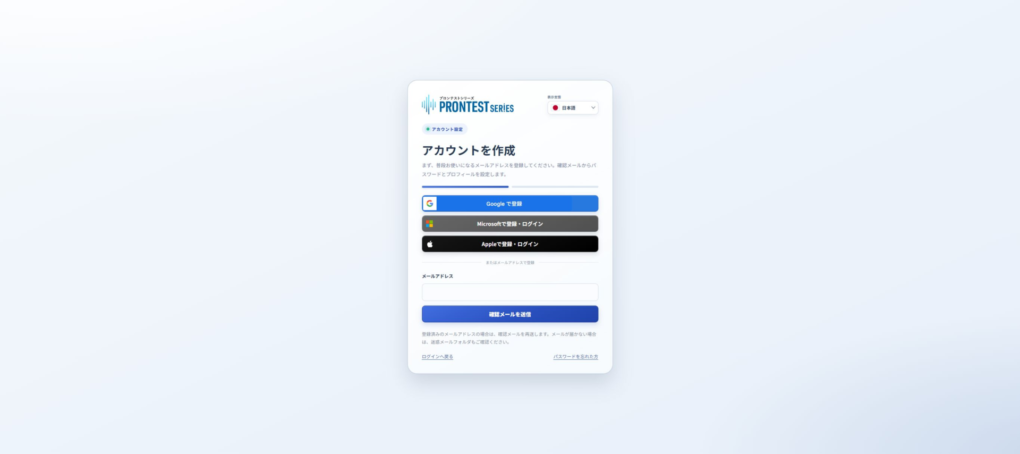
- Select the Apple account you want to use for registration.
- Complete the authentication shown on Apple’s screen.
Choose how to share your email address
If Apple’s screen lets you choose how to share your email address, choose whether to share it or use 「メールを非公開」 (Hide My Email).
If you use 「メールを非公開」 (Hide My Email), an address issued by Apple ending in “@privaterelay.appleid.com” is shared with the service, and emails are forwarded to your own receiving address. To look up your email address after registration, check 「Appleでサインイン」 (Sign in with Apple) in your Apple Account.
Set up your profile
If the full registration screen appears after Apple authentication, continue with the steps below. If My Page opens, registration is already complete and you do not need to enter these details.
- Fill in 「姓」 (Family name) and 「名」 (Given name).
- Select your voice type from 「低い声(主に男性)」 (Low voice, mainly men) or 「高い声(主に女性・児童)」 (High voice, mainly women and children).
- Press 「次へ」 (Next).
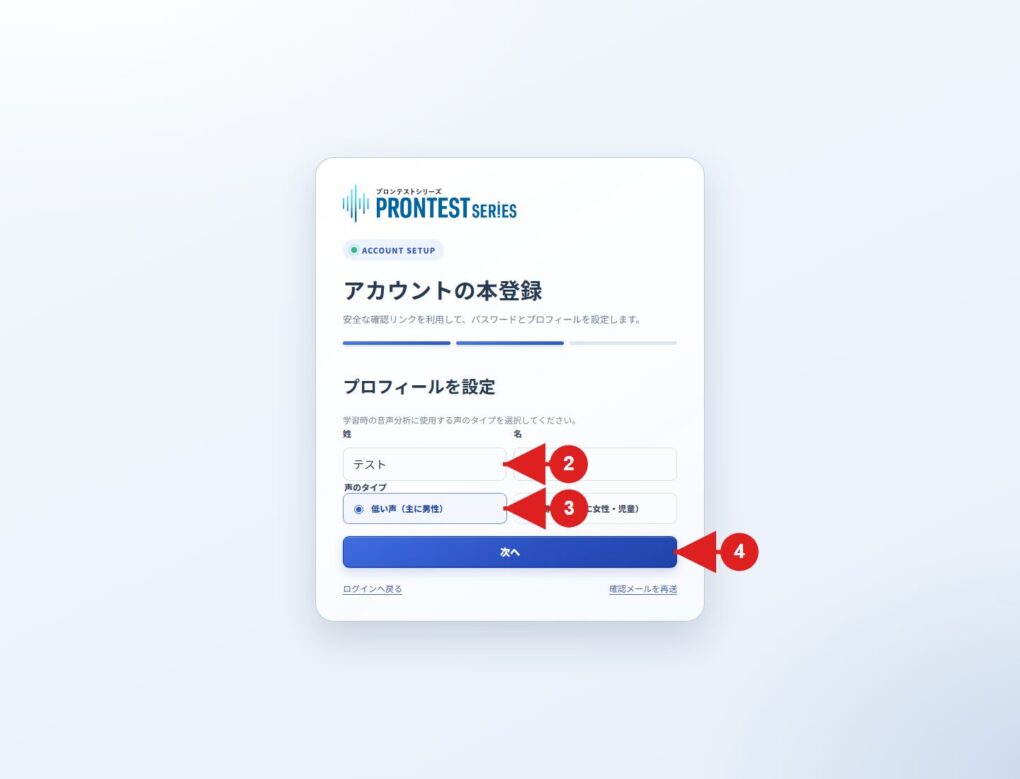
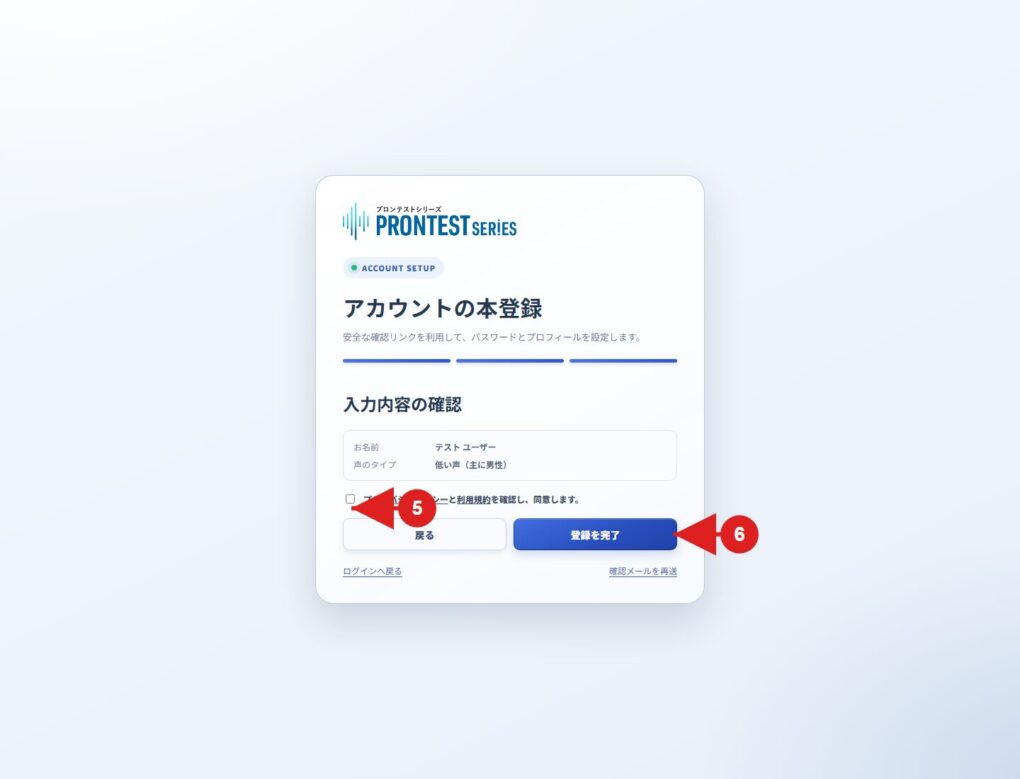
Check your details and complete registration
- Check the registration details displayed.
- Review the Privacy Policy and Terms of Use, and agree to them.
- Press 「登録を完了」 (Complete registration).
Registration is complete when My Page appears. From your next login, use 「Appleでログイン」 (Log in with Apple) on the login page and select the same account you used to register.
If you cannot proceed
If you get stuck on Apple’s authentication screen, check the instructions displayed by the external service. If an error occurs after you return to the PRONTEST Series screen, tell support what is displayed and which registration method you used.
If you already use PRONTEST Series, check your previous login method before registering again by a different method.
Related pages: Registration page / My Page login page / Apple’s official guide to Hide My Email / Contact PRONTEST