
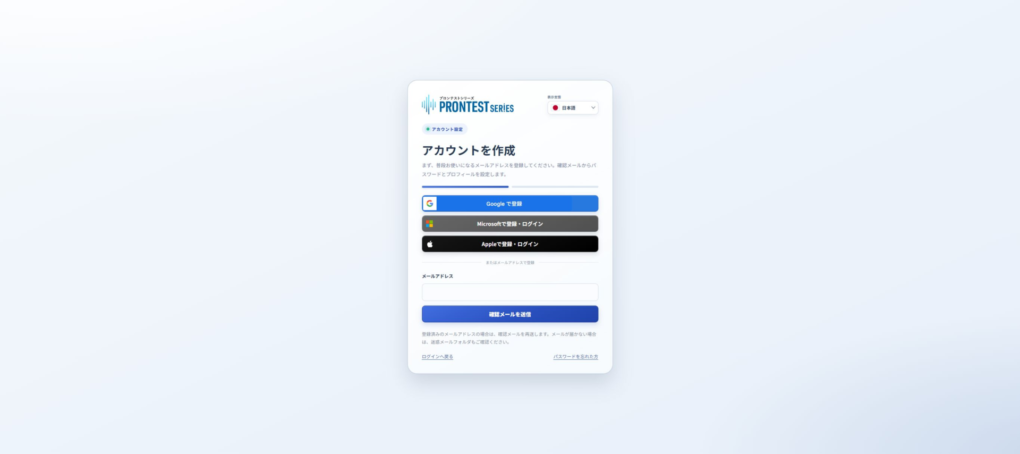
If you started registration using an email address, check the address you entered and its inbox, then resend the confirmation email. Registration is not complete until you follow the instructions in the email to set your password and profile.
Which inbox to check
- Check the email address you entered on the registration screen.
- Open the inbox for that address.
- Check whether the email has been moved to your spam folder or trash.
If you have multiple email addresses, check that you are not looking at the inbox for a different address. For school or workplace email, ask your email administrator whether incoming mail is restricted or quarantined.
Check the address and resend
- Open the PRONTEST Series registration page.
- In 「メールアドレス」 (Email address), enter the email address for which registration is not yet complete.
- Press 「確認メールを送信」 (Send confirmation email).
When the confirmation email arrives, follow the instructions in the message to continue registration. Receiving the email alone does not complete registration.
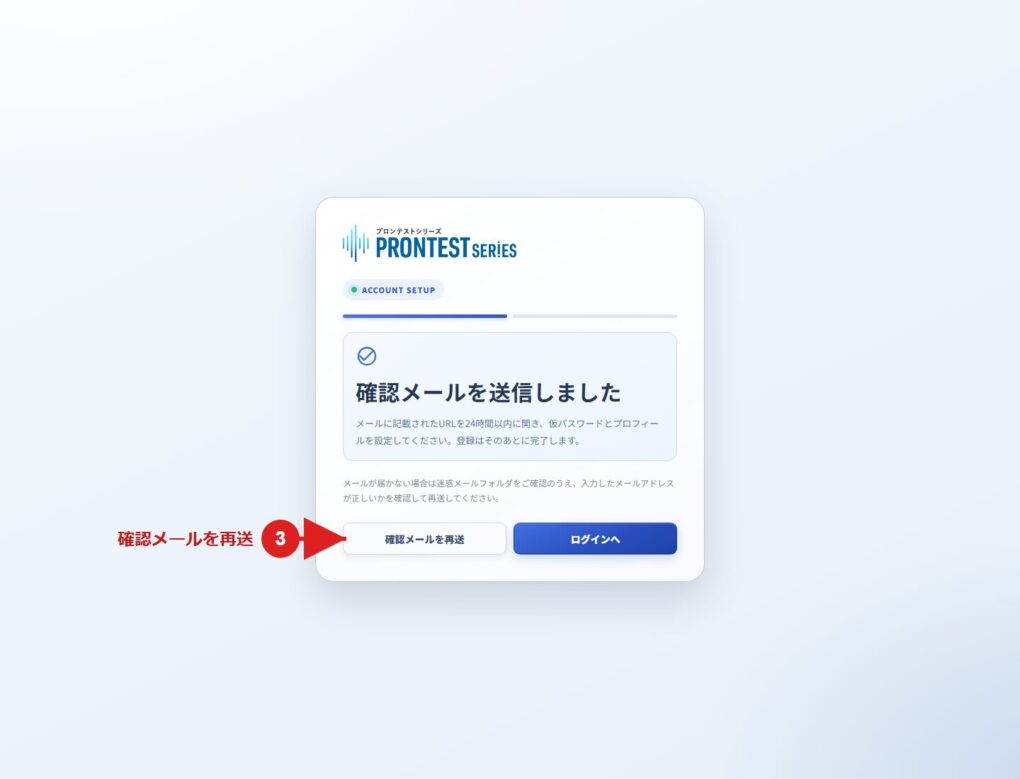
If an error indicates that you are already registered, check whether you have already completed registration. If you have, use the login page. If you are unsure, contact support before registering again with a new address.
If you started registration using an external account
If you started registration using an external service’s button, check that service’s authentication screen and the PRONTEST Series screen displayed after authentication. This is different from the process of waiting for a confirmation email when registering with an email address.
If the email still does not arrive after resending
Tell support the email address you entered, the date and time you requested the email, and any instructions or errors displayed. Do not send your password, verification codes in the email, or the registration link.
Related pages: Registration page / My Page login page / Contact PRONTEST