
If the screen stops immediately after you start recording, first check whether a microphone permission prompt is hidden behind it. If it stops after you finish speaking, note the status or error displayed before reopening the learning screen.
Who should follow these steps: learners using a browser or a web app added to the Home Screen. For detailed iPhone instructions, see The screen stops progressing during recording on an iPhone.
Identify where it stopped
- Recording does not start when you press the recording button: look for a browser or OS permission prompt. If microphone access is denied, check permissions using the microphone settings article for your device.
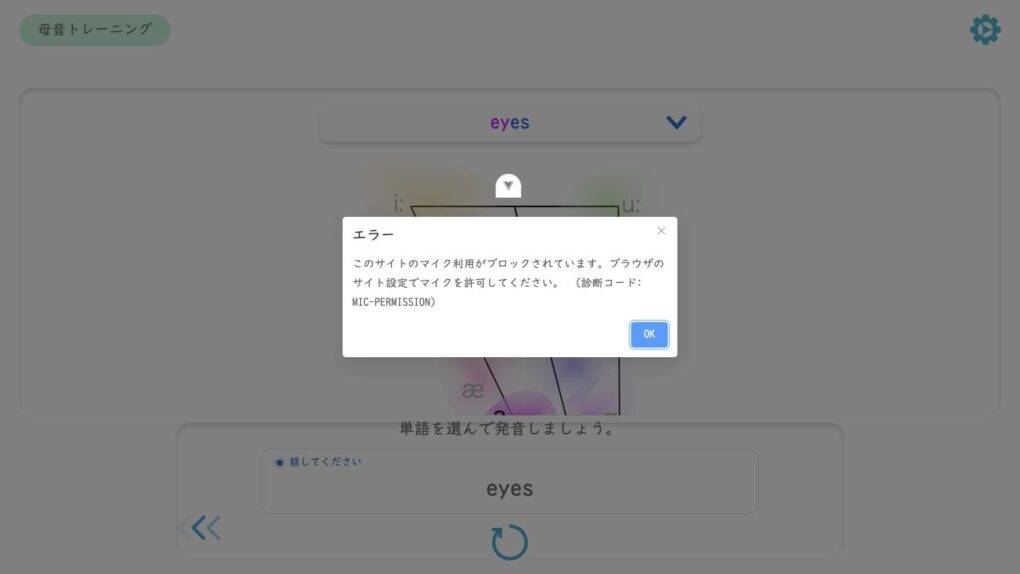
- An input waveform appears during recording, but its height does not change with your voice: check the microphone connection, mute setting, and input device. For learning materials without a waveform, also use the OS microphone test to identify the issue.
- Results do not load after you finish speaking: note the status where the screen stopped, such as 「認識中」 (Recognizing) or 「確認中」 (Checking). If 「音声認識を利用できません」 (Speech recognition is unavailable) appears, record that message, the learning material and question, and the time it occurred.
If an error asks you to refresh
If 「音声データがありませんでした。画面を更新してください。」 (No audio data was found. Please refresh the screen) appears, refresh the learning page as instructed, then record again. Read the caution below before refreshing.
Reopen the learning screen
Reloading or closing the screen may mean you need to repeat recordings that have not yet been reflected in the results. Do not press buttons repeatedly while uploading or processing is in progress.
- Bring the learning screen back to the foreground, and close other apps using calls or recording.
- Check whether an ordinary web page opens in another tab. If no pages open, check your connection first.
- If you are using a browser, reload the learning page once. If you are using a web app, close its window and reopen it from the same icon.
- If asked to log in again, use your usual login method. Open the same question and make a short recording to check whether results load.
If it keeps stopping
If restarting the browser and device does not resolve the issue, tell support your device, OS and browser versions, and where the process stopped. On school or work devices, ask the administrator about network or microphone restrictions.
Related articles
The screen stops progressing during recording on an iPhone