
If you registered using 「Googleで登録」 (Register with Google), reset your password through your Google Account. Do not use the PRONTEST Series 「パスワードを忘れた方」 (Forgot your password) option or its reset emails. If you can log in to Google, use 「Googleでログイン」 (Log in with Google) without resetting your password.
Start Google’s recovery process
Use a device and browser you normally use.
- Open the Google account recovery page.
- In 「メールアドレスまたは電話番号」 (Email or phone), enter the details of the Google Account you used to register.
- Select 「次へ」 (Next).
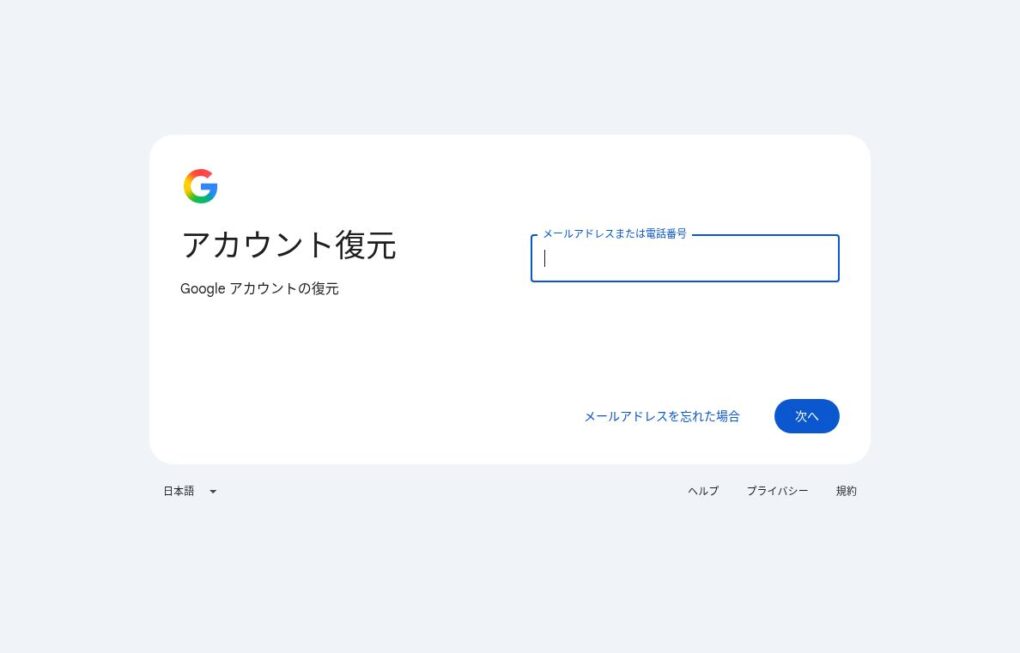
Continue with the identity verification and password reset steps on Google’s screens. Verification methods depend on the account’s status.
If Google’s confirmation email or code does not arrive, check Google’s recovery screen and official guidance. Resending a PRONTEST Series reset email will not resolve this.
If you cannot recover a Google Account managed by your school or workplace, contact your organization’s administrator.
After resetting, select 「Googleでログイン」 (Log in with Google) in the PRONTEST Series and use the same account you registered with. See Log in to My Page for instructions.
If you registered by entering a Gmail email address through email registration, see Reset your PRONTEST Series password.
Related pages: My Page login page / How to recover your Google Account / Google account recovery tips / Contact PRONTEST