
To leave the service, log in to My Page yourself and select 「退会する」 (Leave the service) under 「アカウント」 (Account). If you cannot log in, first check your original login method and restore access to your account.
What to check before leaving
If you want to stop recurring charges, stop automatic renewal through the purchase channel before leaving. Confirm that renewal has stopped on that channel’s subscription screen, then proceed with leaving the service. Leaving the service alone does not establish that a paid plan has been canceled.
If you only want to stop the email newsletter, unsubscribe using a received email. Before proceeding, check any registration information or purchase records you will still need after leaving.
If you can log in
- Log in to the PRONTEST Series using the account you want to remove from the service.
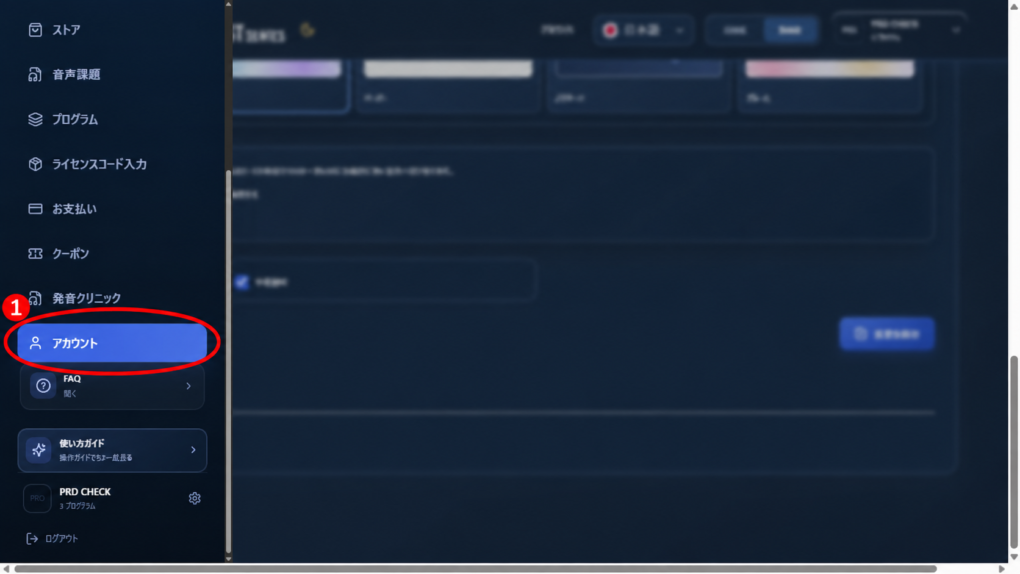
- If the sidebar is hidden, select the menu icon.
- Select 「アカウント」 (Account) in the sidebar.
- Select 「退会する」 (Leave the service).
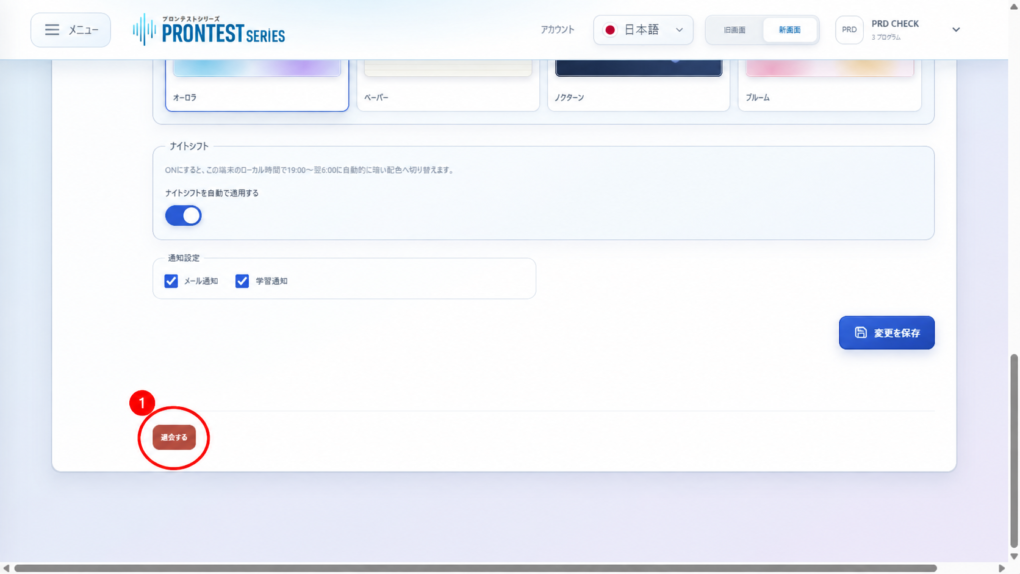
- Read the confirmation message displayed.
- If you want to leave, confirm this in the browser’s confirmation dialog.
When the process succeeds, you are logged out. After leaving, you can no longer use the service with that account. If an error appears, do not assume the process is complete; check the message.
If you cannot log in
First check how you registered. If you registered with Google, Microsoft, or Apple, use the same service’s login button and the same account. Password recovery is handled differently for email registration and external-account registration.
For checks and recovery steps, see If you cannot log in to My Page. Once you have restored login access, complete the steps above yourself to leave the service. Login instructions are in Log in to My Page.
Related pages: My Page login page / Contact PRONTEST
Related articles
Leave the service from the Account screen