
If you registered using 「Microsoftで登録・ログイン」 (Register/log in with Microsoft), reset your password through your Microsoft account. Do not use the PRONTEST Series 「パスワードを忘れた方」 (Forgot your password) option or its reset emails. If you can sign in to Microsoft, use 「Microsoftでログイン」 (Log in with Microsoft).
If you forgot your Microsoft password
Microsoft password recovery differs for personal and work or school accounts. From the official guidance in Related pages, open the instructions for the account type you used to register.
Personal Microsoft accounts
- Open the Microsoft personal account recovery page.
- In 「メール、電話番号、またはSkype名」 (Email, phone, or Skype name), enter the details of the Microsoft account you used to register.
- Select 「次へ」 (Next).
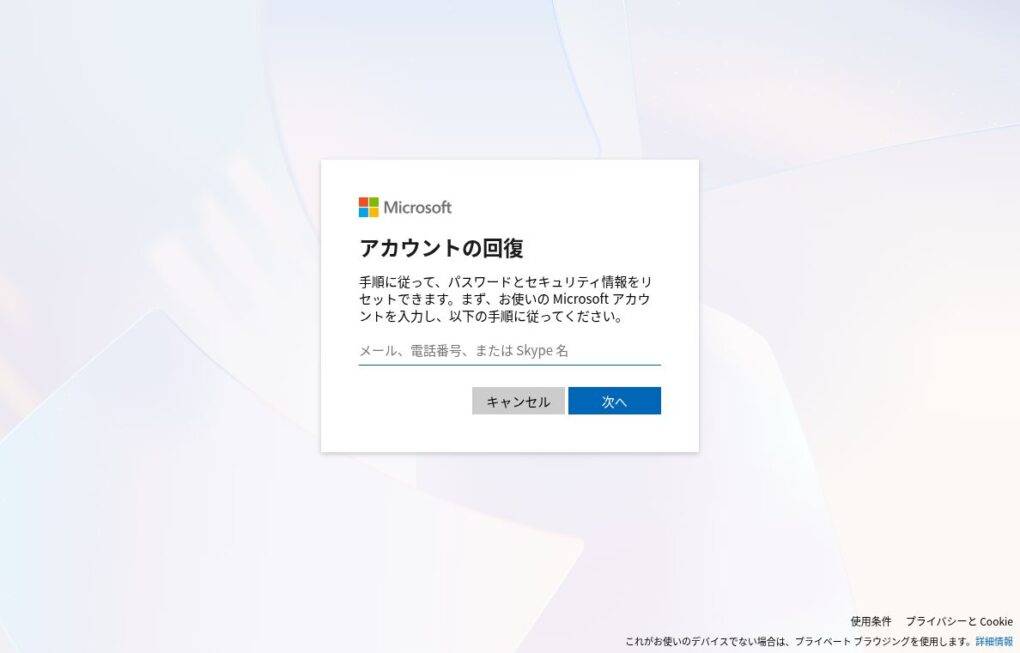
Continue with identity verification and password reset on Microsoft’s screens.
Work or school Microsoft accounts
- In 「メールまたはユーザー名」 (Email or username), enter the work or school account you used to register.
- Select 「次へ」 (Next).
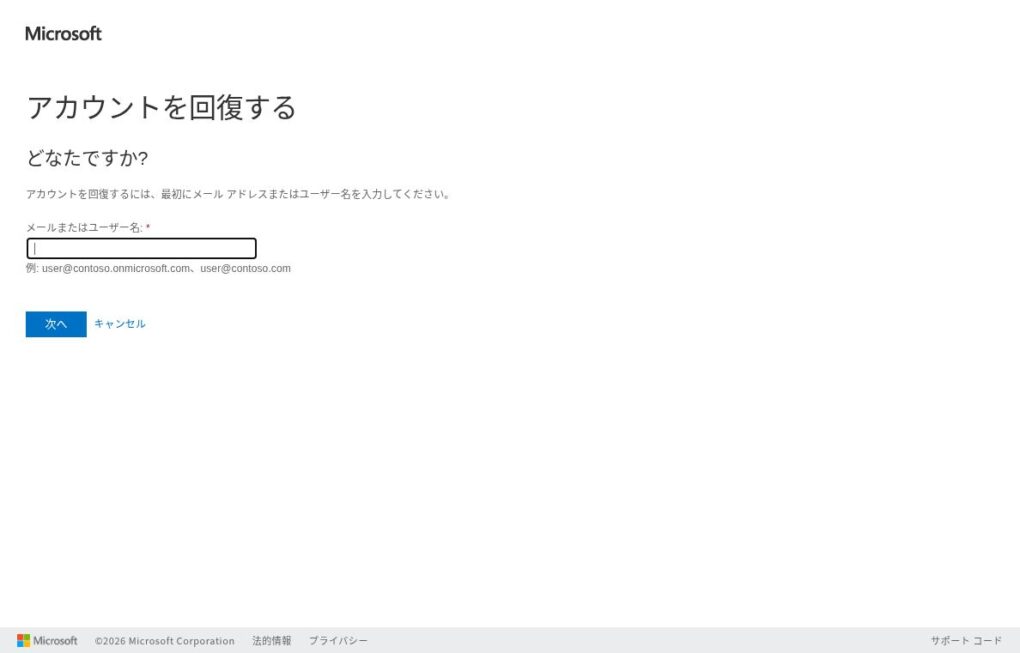
Follow the onscreen instructions for identity verification and password reset. If your organization has not enabled this feature, or you cannot complete verification, contact your organization’s Microsoft account administrator.
After resetting, select 「Microsoftでログイン」 (Log in with Microsoft) in the PRONTEST Series and use the same account you registered with. See Log in to My Page for instructions.
If you registered by entering an Outlook or similar email address through email registration, see Reset your PRONTEST Series password.
Related pages: My Page login page / Reset a personal Microsoft account password / Reset a work or school account password / Contact PRONTEST