
If you cannot log in, check how you registered. If you registered with an email address, reset your password through the PRONTEST Series. If you registered using the Google, Microsoft, or Apple button, reset your password through that service.
Check how you registered
- If you registered with an email address and password, fill in 「メールアドレス」 (Email address) and 「パスワード」 (Password) on the login screen, then select 「ログイン」 (Log in).
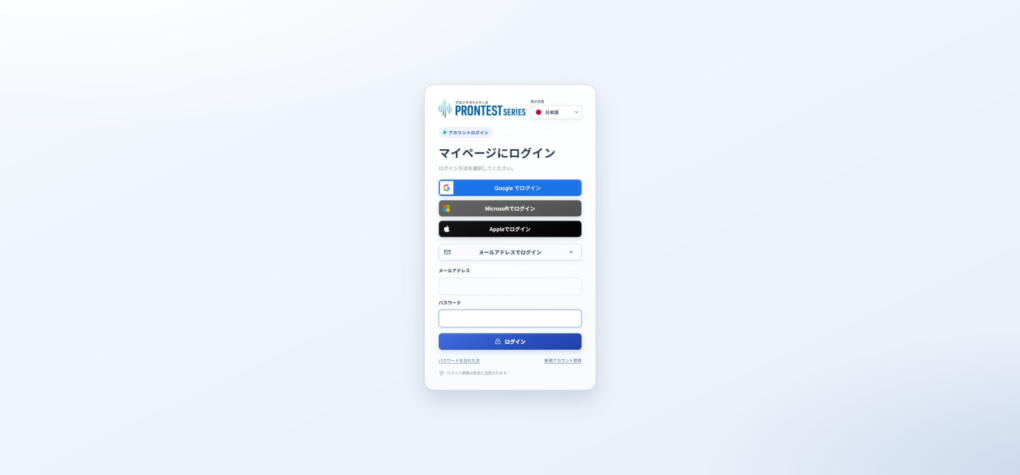
- If you registered with Google, Microsoft, or Apple, select that service’s login button and choose the same account you used to register.
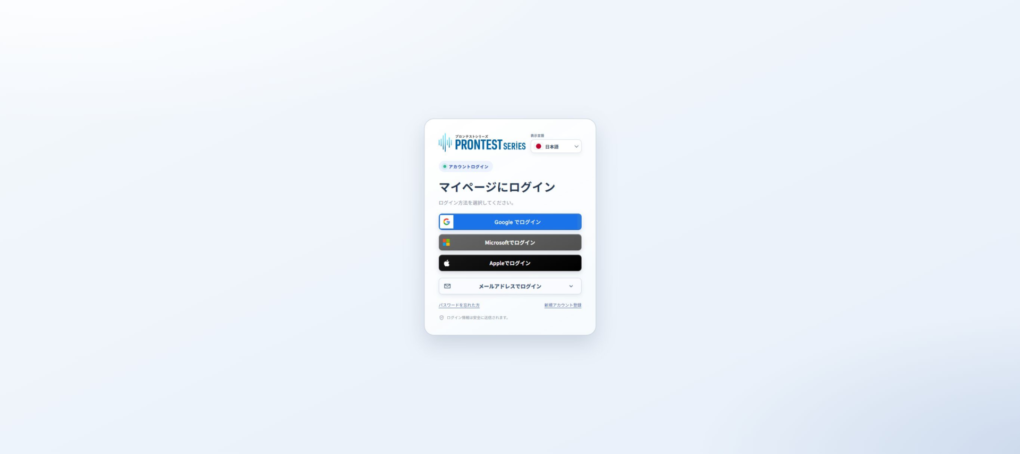
A Gmail or Outlook email address alone does not tell you how you registered. Check whether you used an external service’s button or set a PRONTEST Series password during registration.
If you registered with email and cannot log in
- Check that the email field does not contain a different address or extra spaces.
- Check uppercase and lowercase letters and full-width and half-width characters in your password.
- If you use a saved password to autofill the field, check that it is not an old password.
If you do not know your password, see Reset your PRONTEST Series password.
If you registered with an external account and cannot log in
Make sure you are selecting the service button and account you used to register. If you cannot complete verification on the external service’s screen, consult that service’s instructions.
If you forgot your password, see the Google recovery article, Microsoft recovery article, or Apple’s official recovery instructions.
If use is restricted for a school or work account, contact your organization’s account administrator.
If you cannot return to the PRONTEST Series after external verification, note the message displayed and the screen where you get stuck.
What to tell support if the issue persists
Tell support your registered email address, login method, error message, and device, OS, and browser. Hide unnecessary personal information in any screenshots you send. Do not send passwords or verification codes.
Your login check is complete when My Page appears and you can confirm which account you are using.
Related pages: My Page login page / Contact PRONTEST
Related articles
Reset your PRONTEST Series password