
Deleting the app from your device does not stop automatic renewal for a purchased subscription. To stop future renewals, you need to cancel through the purchase channel. First check the subscription you were charged for and its automatic renewal status.
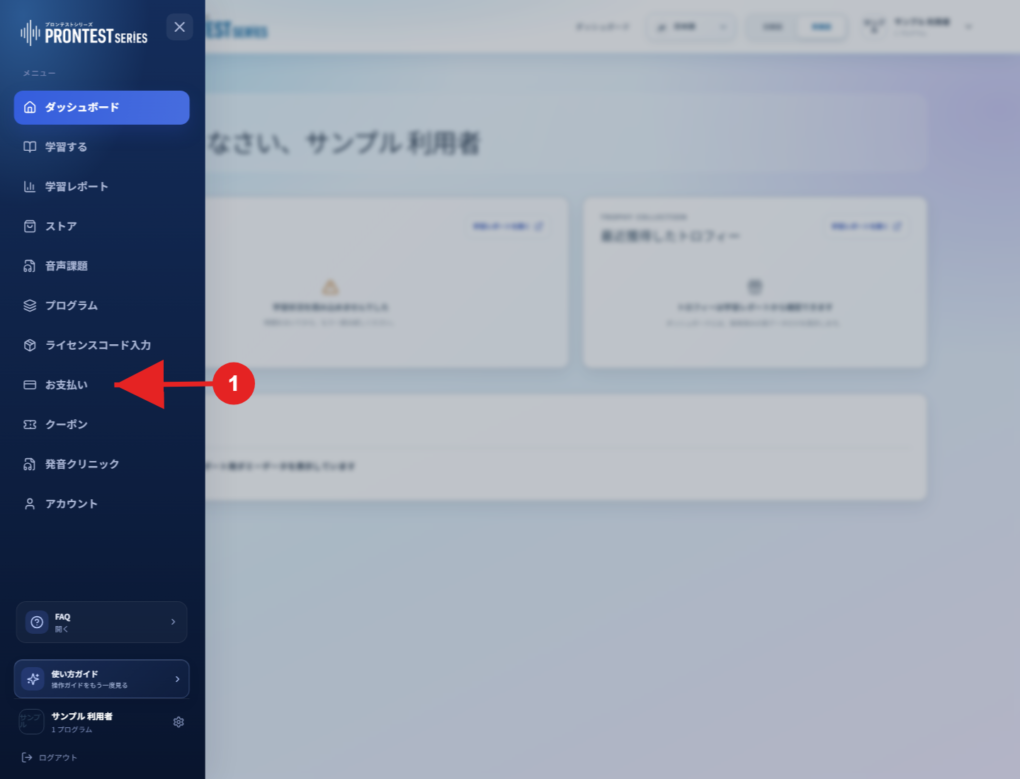
If the My Page sidebar is hidden, select the menu icon to display it.
Check a subscription purchased through My Page
1. Log in to My Page with the account used for the purchase.
2. Open 「お支払い」 (Payments) in the sidebar.
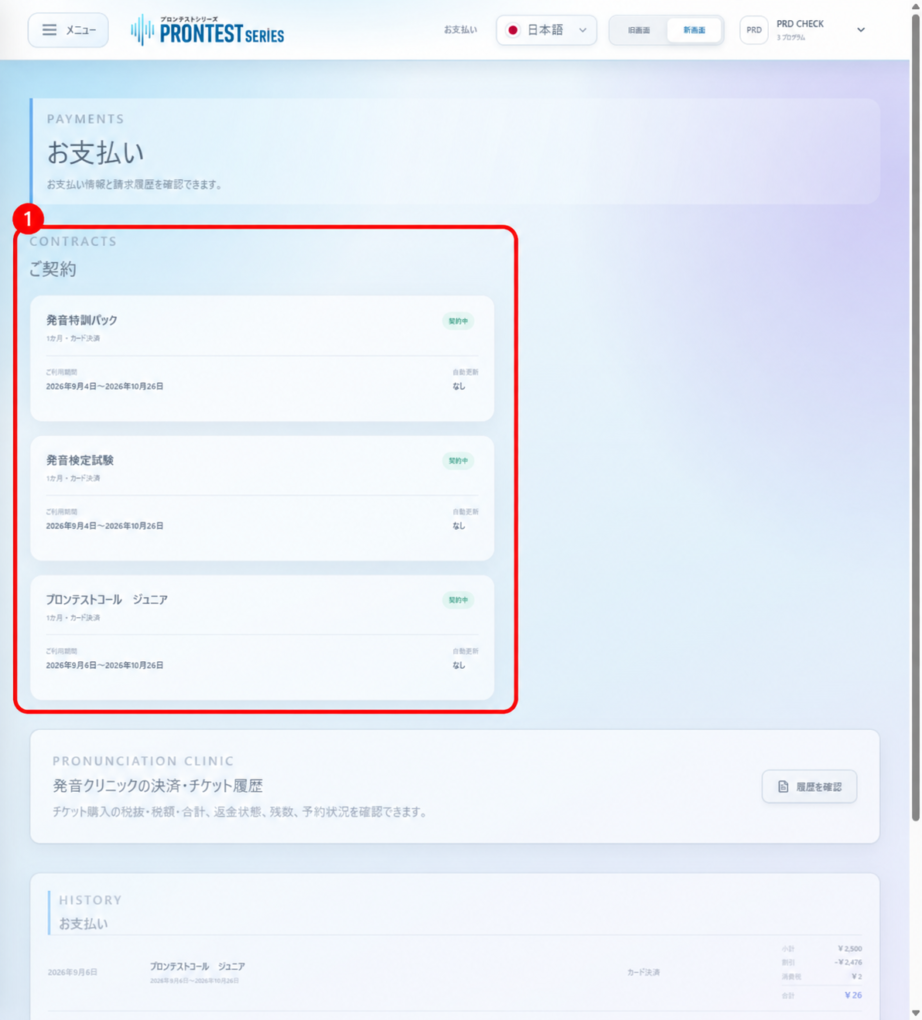
3. Under 「ご契約」 (Your subscriptions), check the relevant program’s access period and automatic renewal status.
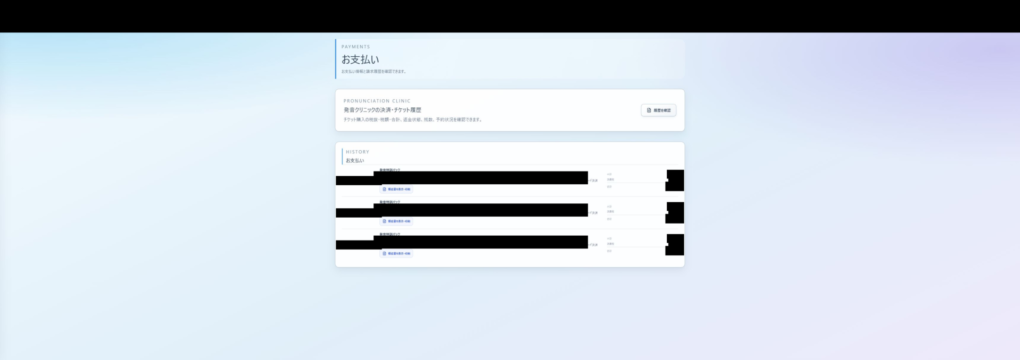
4. In your billing history, check the billing date, program name, access period covered, and amount.
Stop automatic renewal through the purchase channel
• Subscriptions purchased through My Page: follow Stop automatic renewal in My Page.
• Subscriptions purchased through Apple: follow Cancel a subscription on an iPhone or iPad.
• Subscriptions purchased through Google Play: open Google Play subscriptions with the Google Account used for the purchase, select the subscription, and complete the steps from 「定期購入を解約」 (Cancel subscription). Cancel a Google Play subscription
If you are still concerned about charges after stopping renewal
Compare the date and time you stopped automatic renewal with the period covered by the charge. Stopping renewal alone does not cancel or refund charges finalized before you stopped it, or periods you have already paid for. Contact the purchase channel about any charge you are concerned about.
If My Page shows 「確認中」 (Checking), successful cancellation of renewal has not been confirmed. Check that 「なし」 (None) appears, or contact support. For Apple purchases, check Apple’s subscription screen.
Information to include in your inquiry
Provide the purchase channel, program name, billing date, amount, period covered, date and time you stopped renewal, and the current automatic renewal display. In screenshots, hide payment information such as card numbers and unrelated subscription information. Contact PRONTEST
Related articles
Stop automatic renewal in My Page